
Strength mode
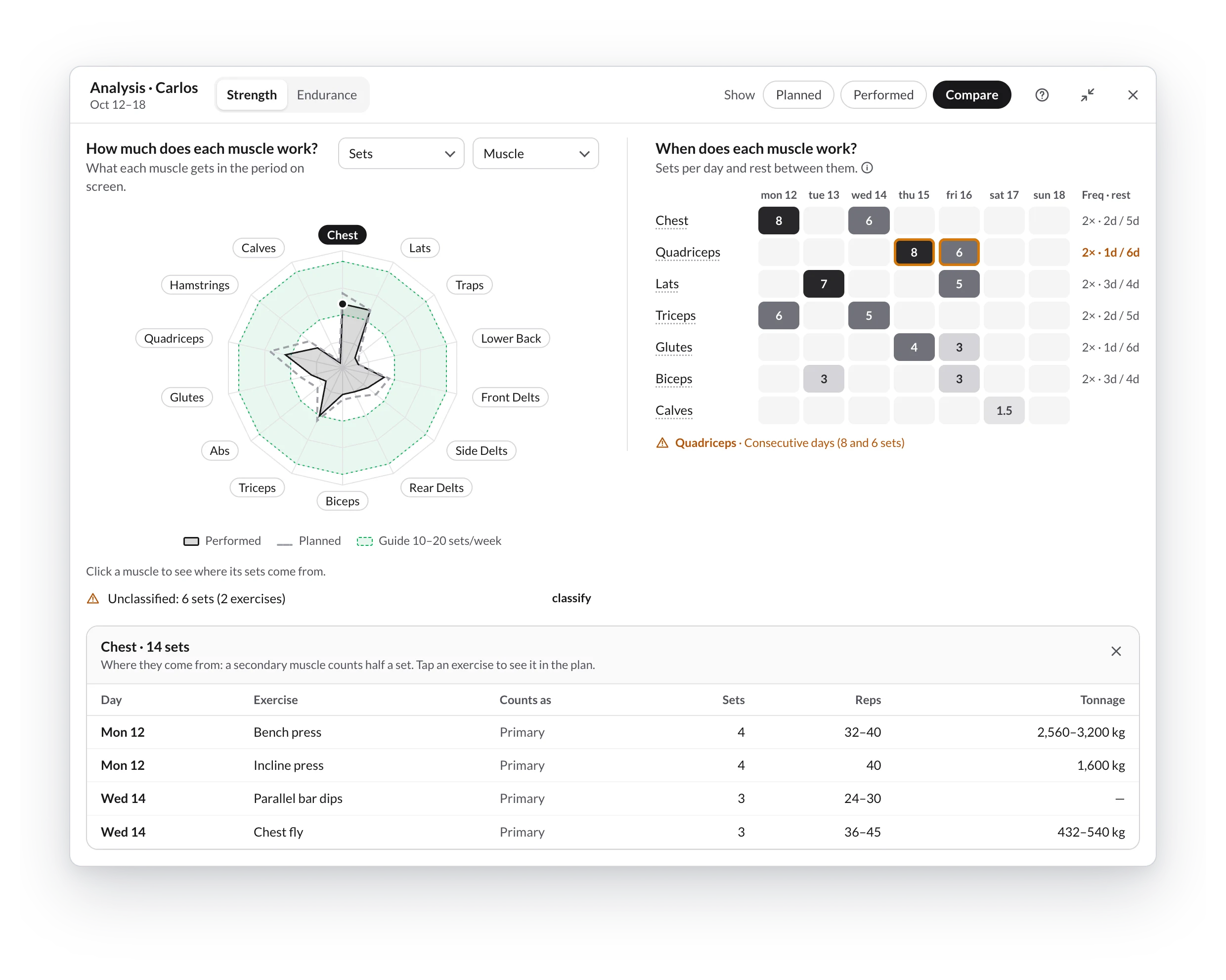
Strength mode counts rep-based exercises and answers How much does each muscle work? Next to it, When does each muscle work? shows you the days (Frequency and rest).
The radar
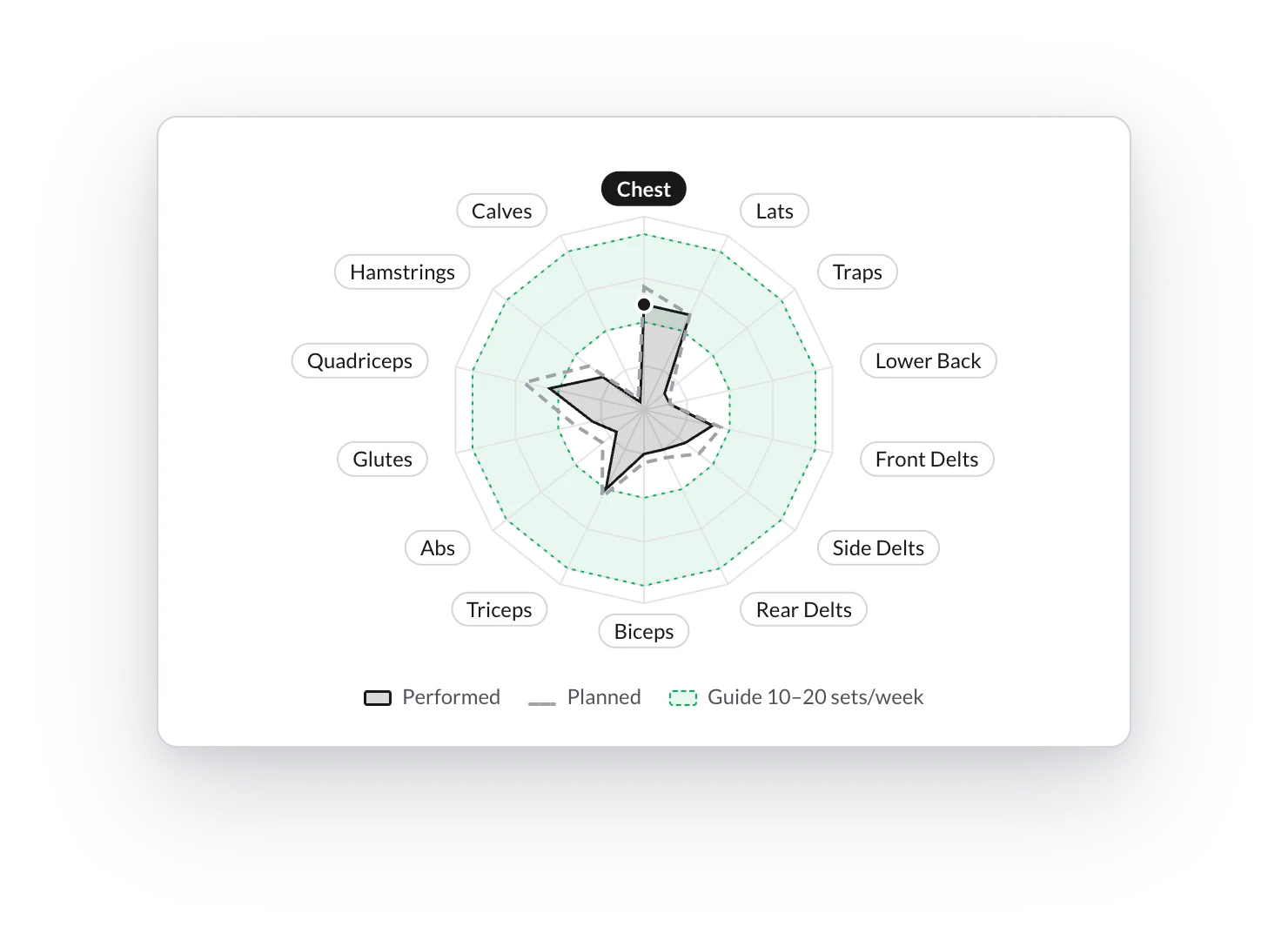
- Each axis is a muscle: the further the point reaches, the more it gets.
- Performed is the dark fill; planned, the dashed gray outline.
- The green band marks 10–20 sets per muscle and week, a common reference for hypertrophy. It appears when you measure Sets, group by Muscle and view one week.
- Click a label or its slice of the chart (or use Tab and Enter) to see that muscle's detail.
Measure by and Group by
When you open each dropdown, every option explains below what it counts.
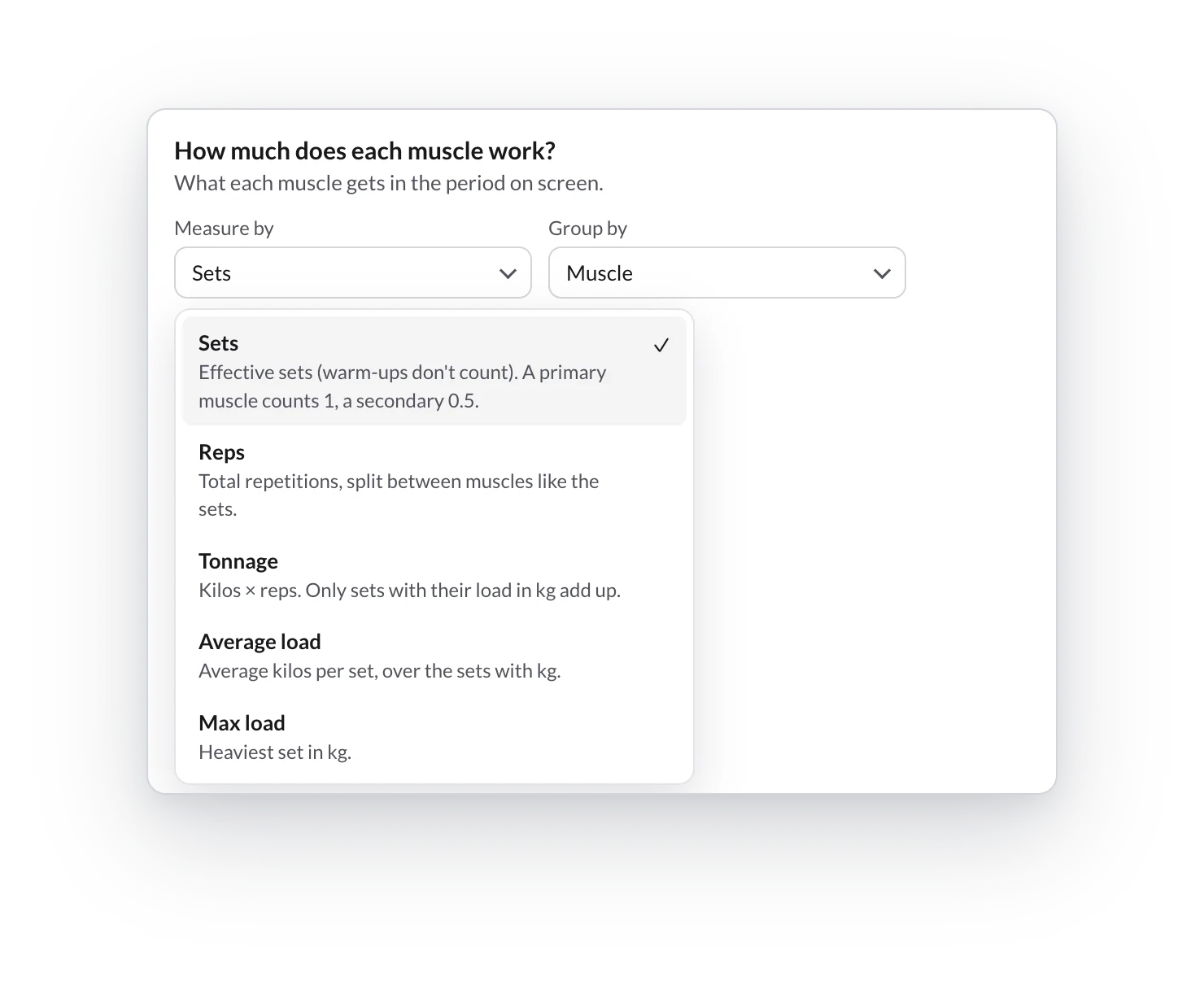
- Measure by: Sets (default), Reps, Tonnage (kg × reps), Average load or Max load. The last three only count sets with kg and are disabled if there are none.
- Group by:
- Zone: Chest, Back, Shoulders, Arms, Core, Glutes and Legs (default). Zones at 0 stay on the radar, so you see what is missing.
- Muscle: 14 fixed muscles plus any other you train.
- Detail: the finest level (for example, the triceps long head). There is no radar here, but a table by zone.
Ranges (8–10 reps) are counted with the minimum and the maximum: you'll see 32–40 in the detail and the midpoint on the radar.
A muscle's detail
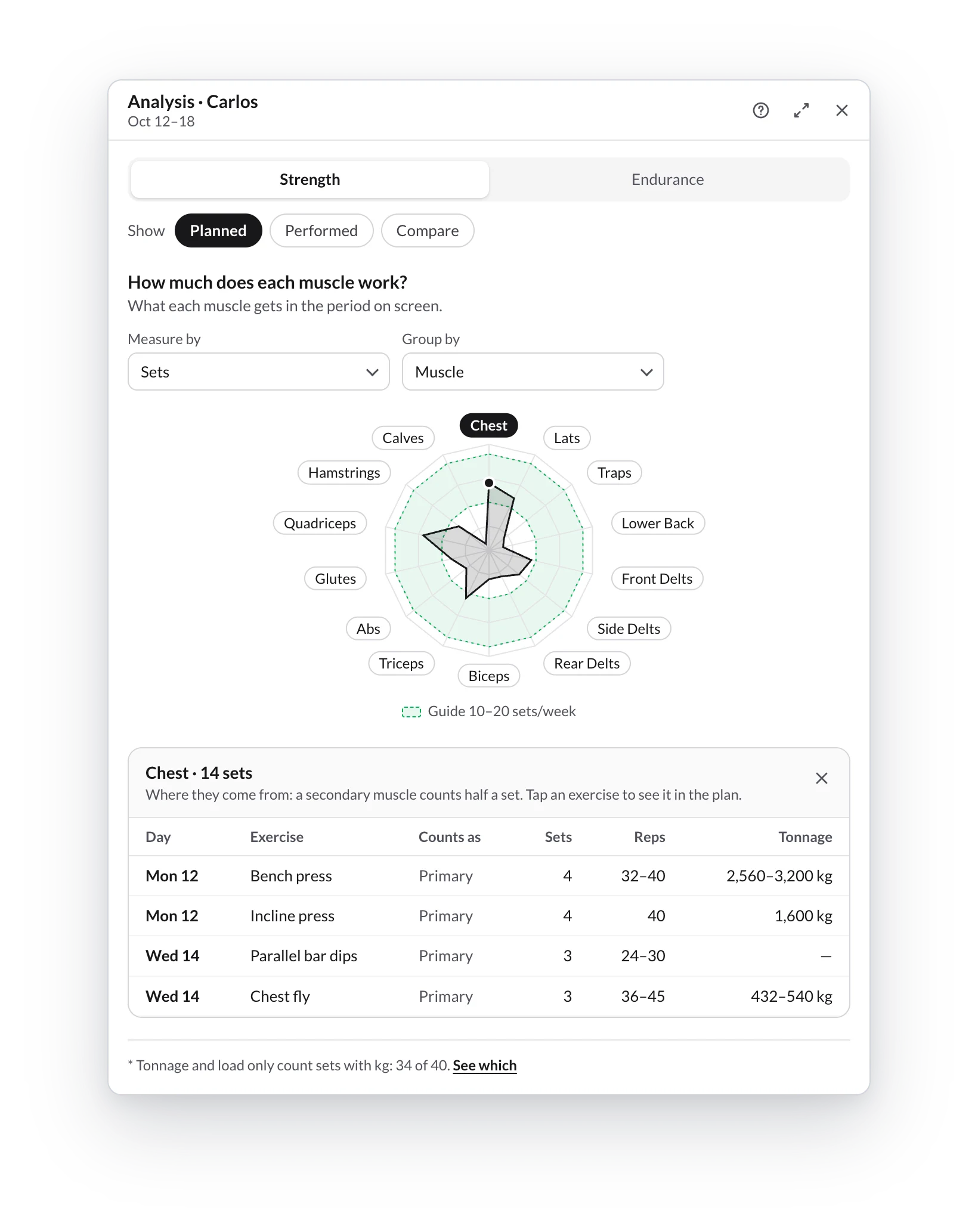
- It is open from the start on the muscle with the most of the chosen metric. Click another to switch.
- It shows where its numbers come from: day, exercise, whether it counts as Primary or Secondary (½), sets, reps and tonnage.
- Tap an exercise and the planner takes you to it. If it is not on screen, a notice tells you where to find it.
- Close it with the ✕: it stays closed until you change the mode or Group by.
How sets are split between muscles is in How sets are split across muscles.
Open the analyzer
How to open the workout analyzer from a client's plan or from a program, which period it analyzes, and how to maximize, restore, move and close its window.
Endurance mode
How to read the workout analyzer's Endurance mode — time, distance, sessions and sRPE load by sport, intensity by zone and how the week is spread, using a triathlon week as an example.