
How to connect Claude to TrainerStudio?
Claude is an AI assistant created by Anthropic, similar to ChatGPT. What makes it special is that it can connect directly to external apps like TrainerStudio to access your real data and take actions for you.
Imagine having an assistant who knows all your clients, knows which routines they have assigned, can create training programs and can even send messages for you. That is exactly what you get when you connect Claude to TrainerStudio.
All you need is your TrainerStudio account and the Claude app on your computer. You will have it up and running in under 2 minutes.
What can you do with Claude + TrainerStudio?
Once connected, you can ask it things like:
- "How many active clients do I have?"
- "Create a 4-day strength program for María"
- "Who hasn't trained for more than a week?"
- "Send Laura a message asking how the routine is going"
- "Show me Carlos's squat history"
- "Give me a summary of compliance for my clients in the Premium group"
Claude accesses your clients, routines, exercises, workouts and chat directly from TrainerStudio. You do not need to copy and paste anything or switch apps.
| Category | What Claude can do |
|---|---|
| Clients | List, search, create and archive clients. Manage groups. See compliance, recent activity and metrics. Create notes. |
| Routines | Look up and create programs. Add days and exercises. Assign programs to clients. |
| Workouts | See a client's workouts. Create, edit, duplicate and delete blocks. Add exercises and tasks. |
| Exercises | Search your exercise library. |
| Chat | List conversations, read messages and send messages to clients. |
Prerequisites
- A TrainerStudio account with a coach role
- Claude Desktop installed on your computer — download it here. You need a Claude Pro subscription or higher (the free plan does not include integrations).
Step 1: Open the connectors in Claude Desktop
Open Claude Desktop and go to Customize → Connectors.
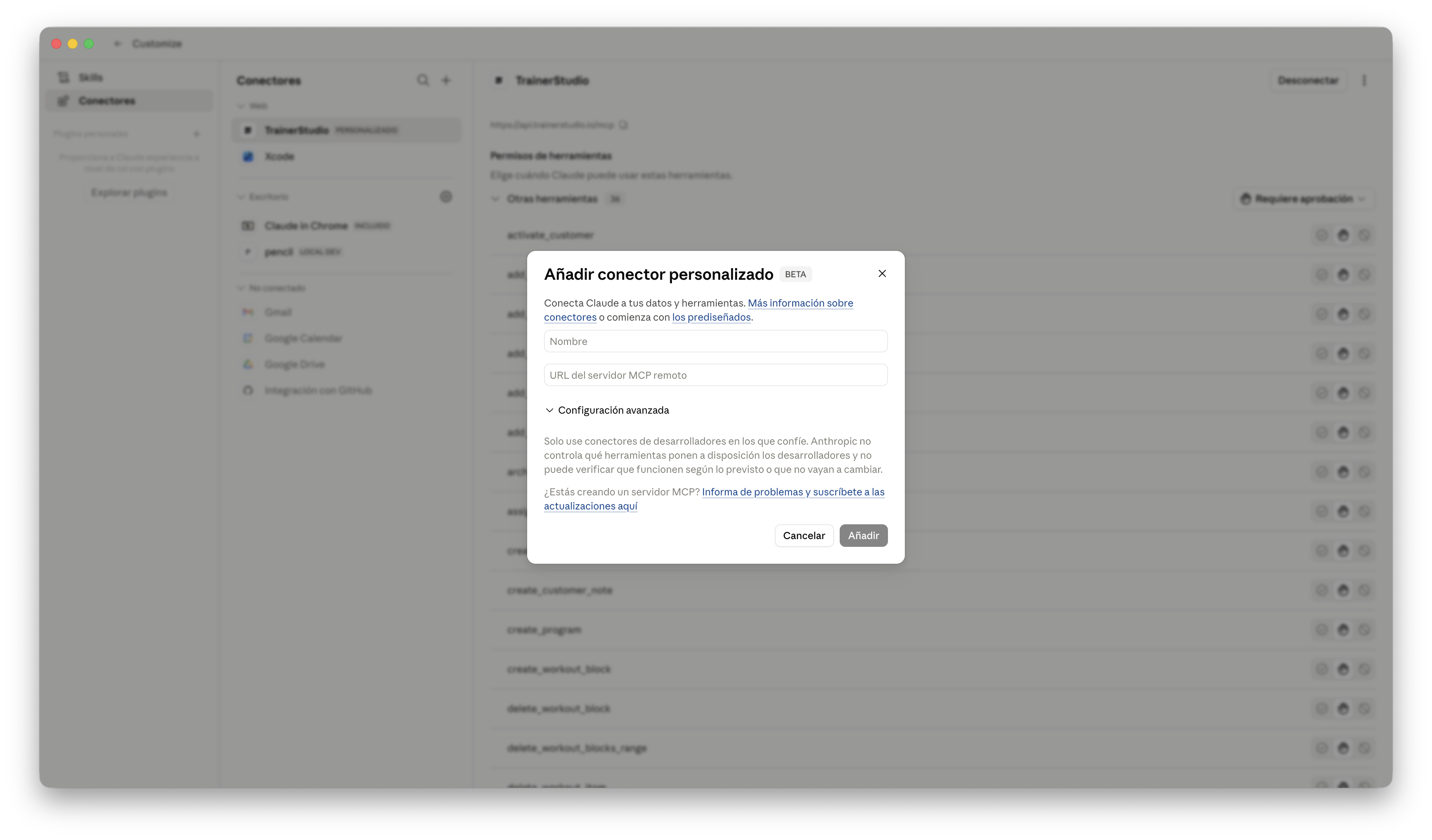
Step 2: Add a custom connector
Click "Add custom connector" and enter the following URL:
https://api.trainerstudio.io/mcp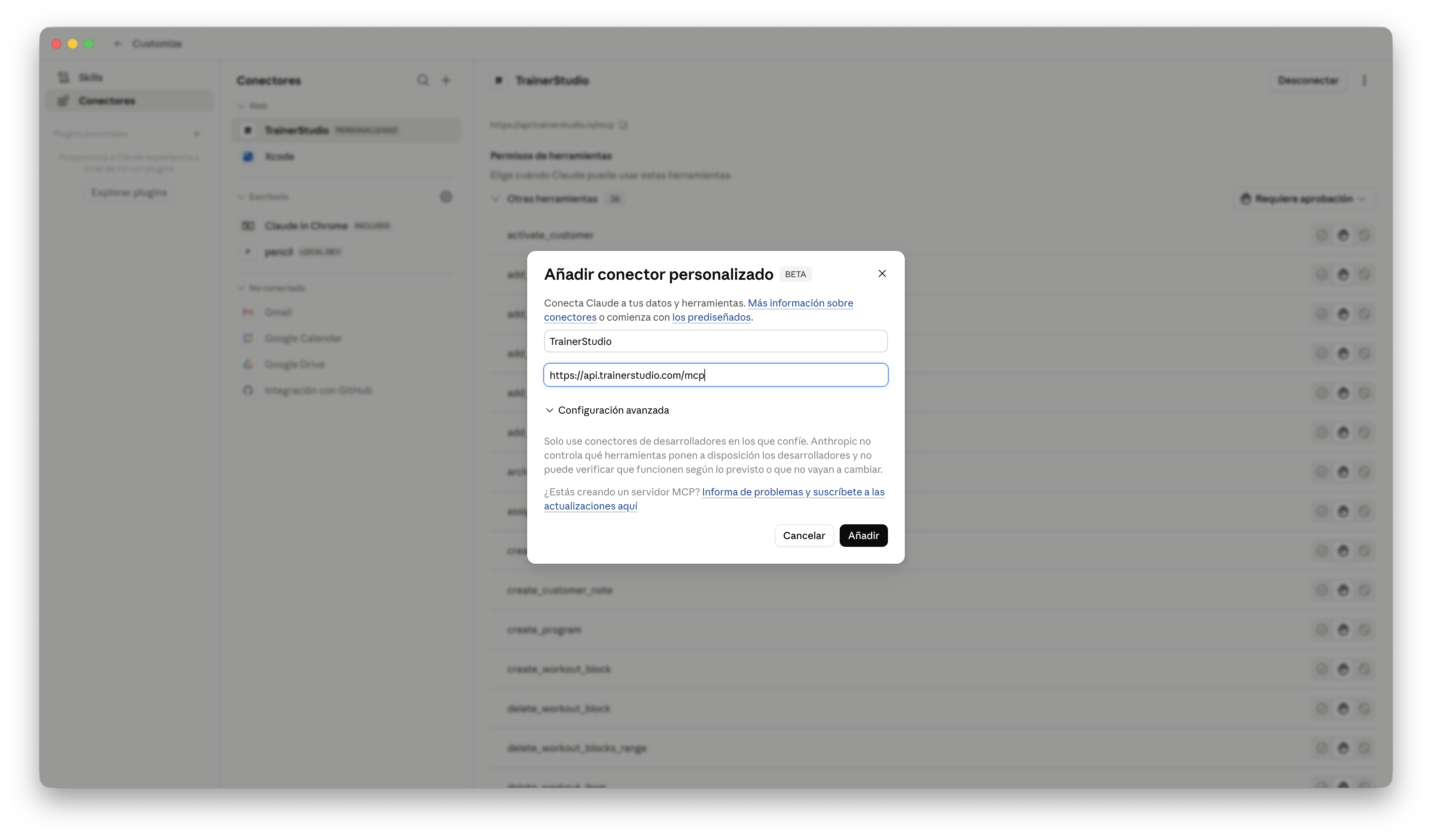
Step 3: Start using it
Done! Open a conversation in Claude and start asking for whatever you need. Try something simple to check that it works:
You: How many active clients do I have?
Claude: You have 23 active clients in your TrainerStudio account. Would you like me to show you the full list or filter by a group?
Ideas to get the most out of it
Daily client review
"Which clients haven't trained in the last 5 days?"
Perfect for your morning review. Claude gives you the list and you can ask it to send a follow-up message to each one.
Create routines faster
"Create a 4-day hypertrophy program for an intermediate level using the exercises in my library"
Claude creates the program, adds the days and picks exercises from your own library. You just review and adjust.
Metric tracking
"How has Carlos's deadlift evolved over the last 3 months?"
Look up the history of any exercise or metric without having to navigate the app.
Quick communication
"Send a message to the clients in the 'Morning' group reminding them that tomorrow we change the schedule"
Write a message and Claude takes care of sending it through the TrainerStudio chat.
Security and privacy
- Your password is never shared: when you sign in, a temporary token is generated (just like when you use "Sign in with Google" in other apps).
- It only accesses your account: Claude only sees the data in your coach account.
- No external storage: your clients' data is looked up in real time and is not stored outside TrainerStudio.
- You can disconnect at any time: remove the integration from Claude Desktop and access is revoked immediately.
Frequently asked questions
Is it free?▼
The TrainerStudio connection is free and included in every plan. However, you need a Claude Pro subscription (or higher) to use Claude Desktop with integrations.
Can Claude do things without me knowing?▼
No. Claude always shows you what it is going to do before doing it. If you ask it to send a message or create a routine, you will see exactly what data it is going to use and you can confirm or cancel.
Is my data safe?▼
Yes. Claude accesses your data in real time through a secure connection, but does not store it. Your password is never shared — a standard authorization system is used (the same one Google or GitHub use). You can revoke access at any time.
Does it work with ChatGPT or other assistants?▼
Yes. TrainerStudio also connects to ChatGPT through MCP. Follow the guide to connect ChatGPT to TrainerStudio to see the requirements, authorize your account and start using it. Other MCP-compatible assistants can also connect.
Can I use it from my phone?▼
At the moment it only works from Claude Desktop on a computer. When Claude adds support for integrations to its mobile app, the TrainerStudio connection will be available automatically.
TrainerStudio — Your AI assistant, connected to your real data