
How to analyze the training you program?
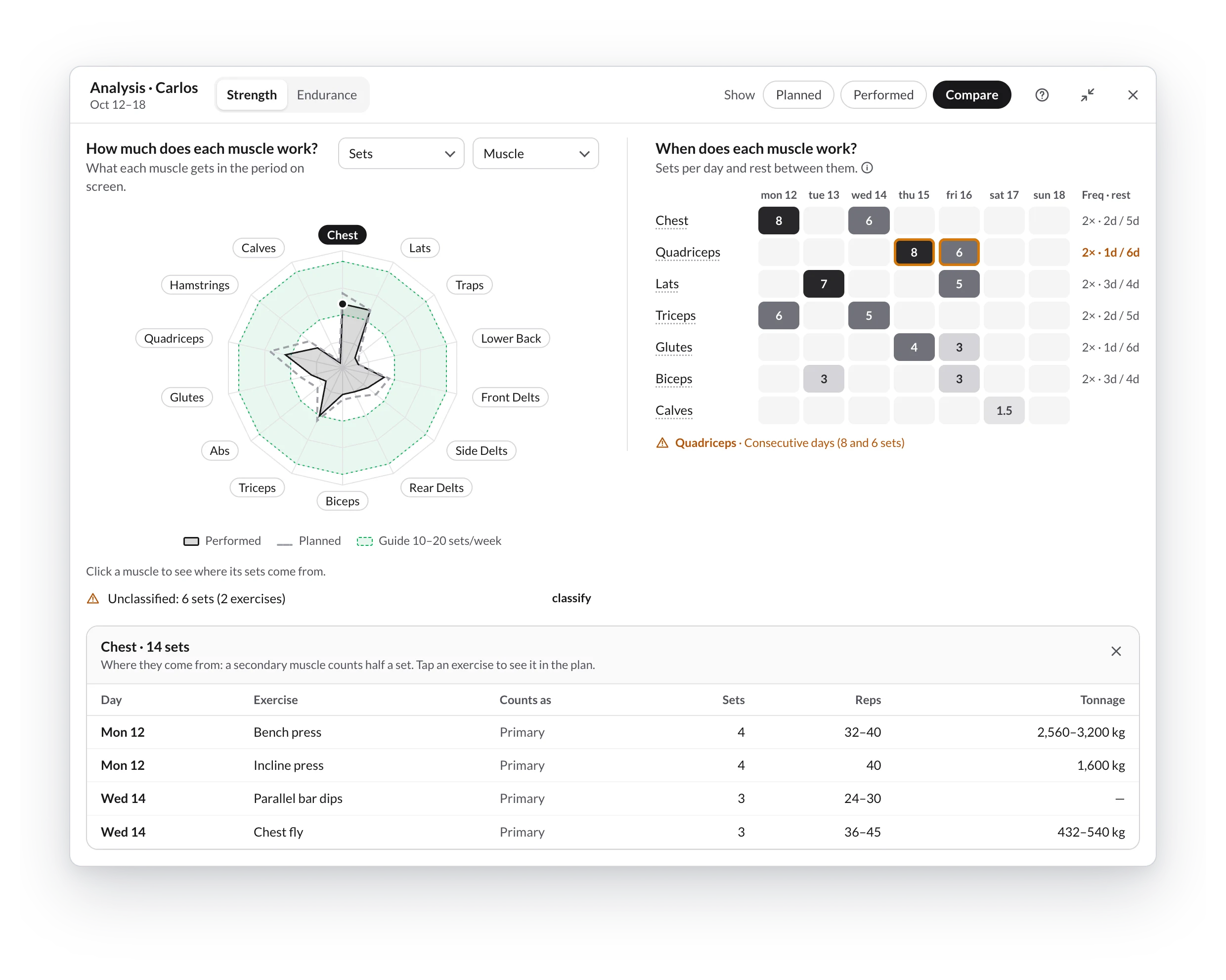
The workout analyzer counts what you are programming for you: how many sets each muscle gets, which days you train it and how much it rests. With endurance athletes, it splits the time between swimming, cycling, running and the rest.
It opens from a client's plan or from a program, analyzes what you have on screen and updates instantly with every change.
What it is for
- Balancing volume: which muscles get too much and which fall short.
- Spreading the stimuli: how many times a week you train each muscle and how many days it rests.
- Comparing planned with done in a client's plan.
- Planning endurance: time, distance, load and intensity per sport.
Only you see it (your client doesn't), and it is included in every plan.
In this guide
- Open the analyzer
- Strength mode
- Endurance mode
- Frequency and rest
- Unclassified exercises and sets without kg
- What counts as a set
- How sets are split across muscles
- Worked examples
Analyzer or load control
| Workout analyzer | Load control | |
|---|---|---|
| When | While you program | To review weeks and months |
| What it looks at | What you have on screen | The trend over time |
Calculator and how to interpret load
Interactive internal load calculator in TrainerStudio, compared canonical cases and the keys (and limits) to interpreting your clients' load numbers.
Open the analyzer
How to open the workout analyzer from a client's plan or from a program, which period it analyzes, and how to maximize, restore, move and close its window.