
How to give your clients several routines to choose from each day?
Sometimes you do not want to tie each routine to a specific day. You have clients who train differently depending on the day (one day with free weights, another on machines), clients whose schedule means they cannot have fixed days, or you want to always have an express routine at hand for busy days.
That is what workout options are for: on the same day you define several options and the client chooses which one they did and logs it as usual. Each option can have several blocks (warm-up, main part...), so an option is not a single exercise: it is a complete mini-workout. You decide which options to offer; they decide which one to do.
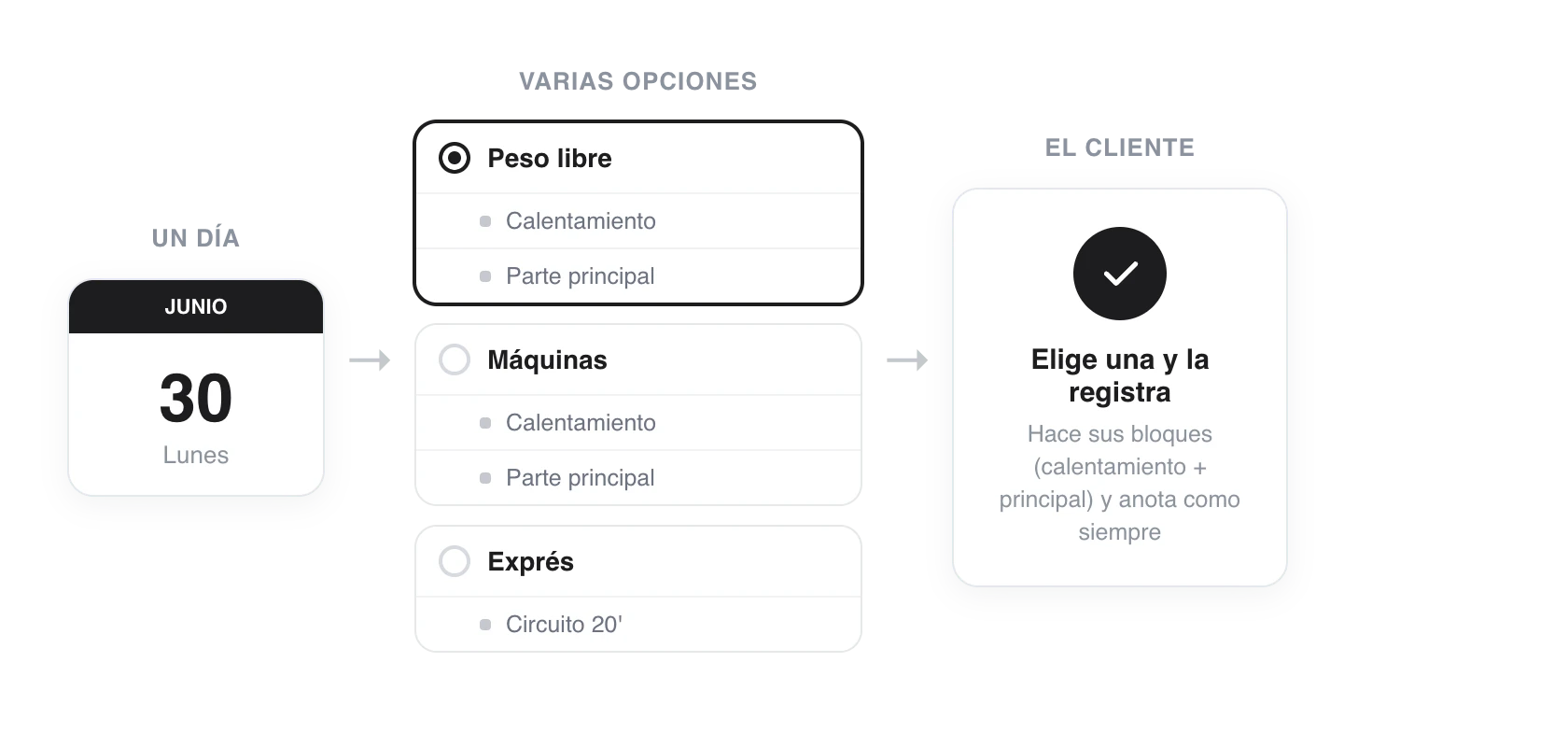
The same day offers several routines. The client chooses the one they did and logs reps, loads and how it felt as always.
It works alongside your usual calendar: clients who do want fixed days notice no change. Options only appear where you put them.
1. Create the options for a day
In a routine's editor (or in a client's plan), go to a day with blocks and open the day's three-dot ⋮ menu → Add option.
The first time, the blocks the day already has become Option A and an empty Option B is created. A dropdown with the active option appears in the day header: from there you switch between options, rename them, add more and delete them.
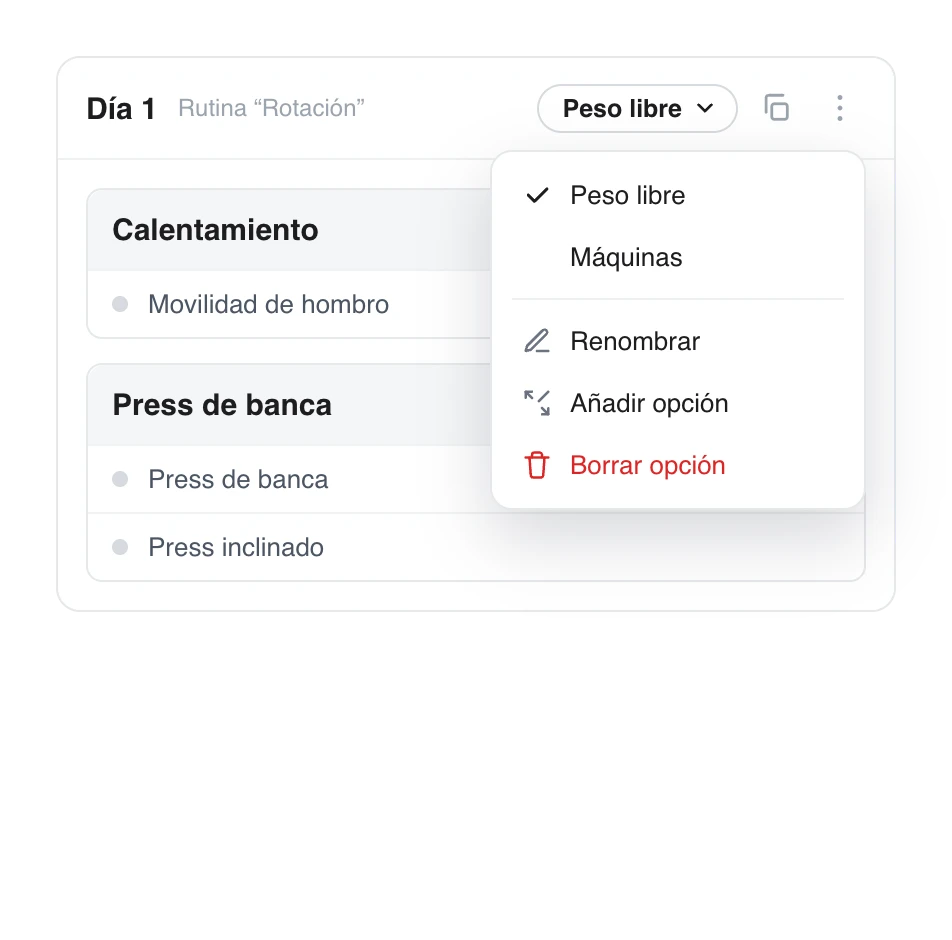
The day's dropdown manages the options (switch, rename, add, delete). Below it, only the blocks of the active option are shown.
The key: an option is a set of blocks. Select an option in the dropdown and every block you add to the day (warm-up, main part...) goes into it. Switch options to build the next one. That way, "Free weights" can have its own warm-up + main part, and "Machines" its own.
Give the options clear names: whatever you type in Rename is exactly what your client will see in the selector. When a day has no options, it works as always (all blocks are done).
2. Assign the routine as usual
Nothing new here: assign the routine to the client just like any other. The options travel with it. If you edit the routine later, upcoming days reflect the changes.
For clients without fixed days, the recipe is simple: create a routine with the options you want (Day A, Day B, Express...) and assign it. Each day will offer them those same options so they can choose whatever suits them.
3. What your client sees
On a day with options, before the list of exercises they see the question Which routine do you want to do today? with the available options. When they tap one, all its blocks unfold (for example, warm-up + main part) and they log them as usual.
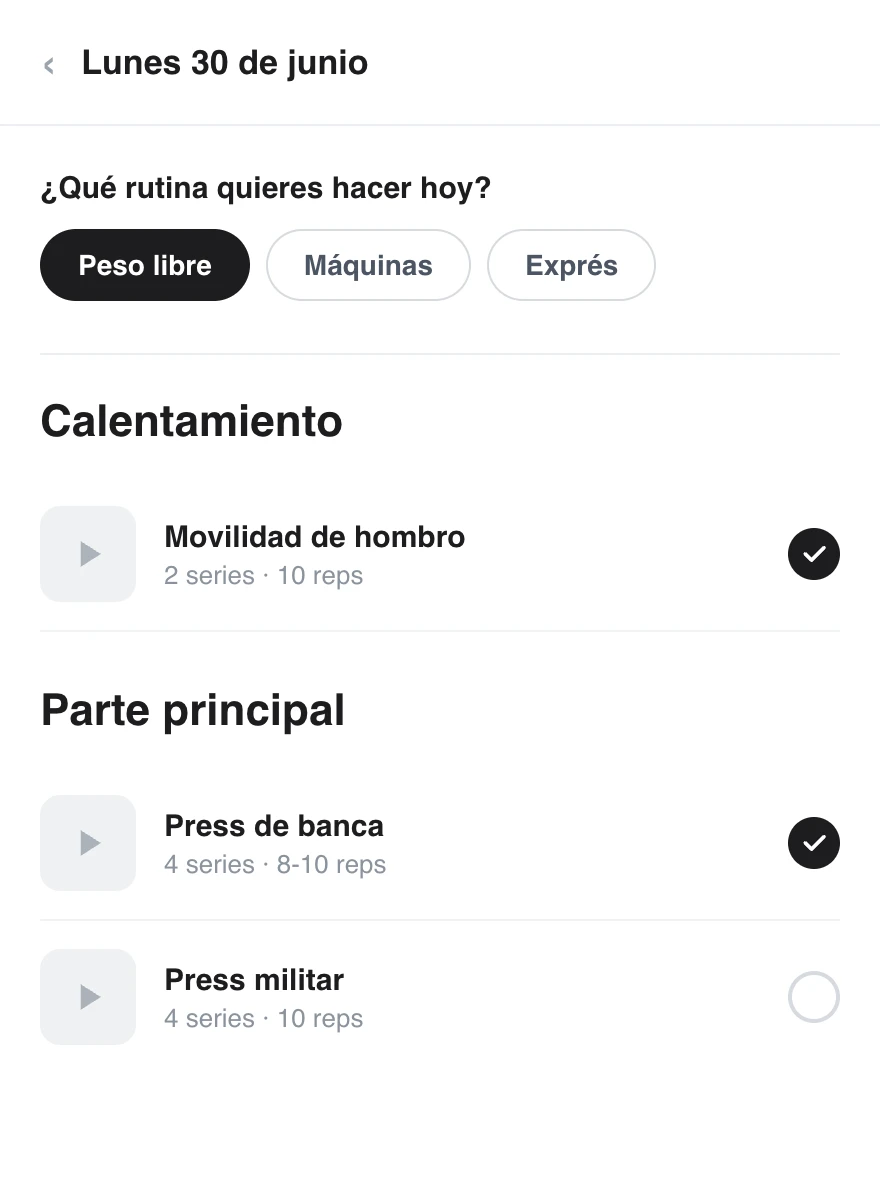
When they choose "Free weights", its two blocks are shown (warm-up + main part). They log reps, loads and how it felt just like in any workout.
They can switch options as long as they have not logged anything. Once they start logging sets in one, it is locked in as the routine for the day (so nothing they logged is lost). If they need to change it afterwards, they can reset the option's progress.
Good to know
- It coexists with the calendar. Options only appear on the days where you put them. Clients with fixed days carry on exactly the same.
- Only the chosen one counts. In the statistics and in the day's progress, only the routine the client chose is counted, not the sum of all the options.
- Effortless rotation. For a client who alternates Day A / Day B at their own pace, offer those two options every day and let them choose whichever is next.
- The express option always at hand. Add a short Express option (even if it is a single block) alongside the others for busy days.
- One option = several blocks. Give the same option name to the blocks that go together (warm-up + main part) and the client will do all of them when they choose that option.
- The usual logging. Reps, loads, comments and how it felt are logged just like in any workout; nothing changes in the flow they already know.
How to reuse sessions and blocks with templates
Create reusable sessions and blocks in your library, edit them whenever you like and add them to any day of a program or a client’s plan, so you can repeat your training structures without building them from scratch.
How to use the «Finish workout» button
Turn on the «Finish workout» button in the client app. When they finish their session for the day they mark it with one tap —they can mark every exercise at once— and you get an alert (push or WhatsApp) right away.