
Endurance mode
Endurance mode counts time- or distance-based exercises: running, cycling, swimming, rowing… It works for triathlon, running, cycling or any cardio work.
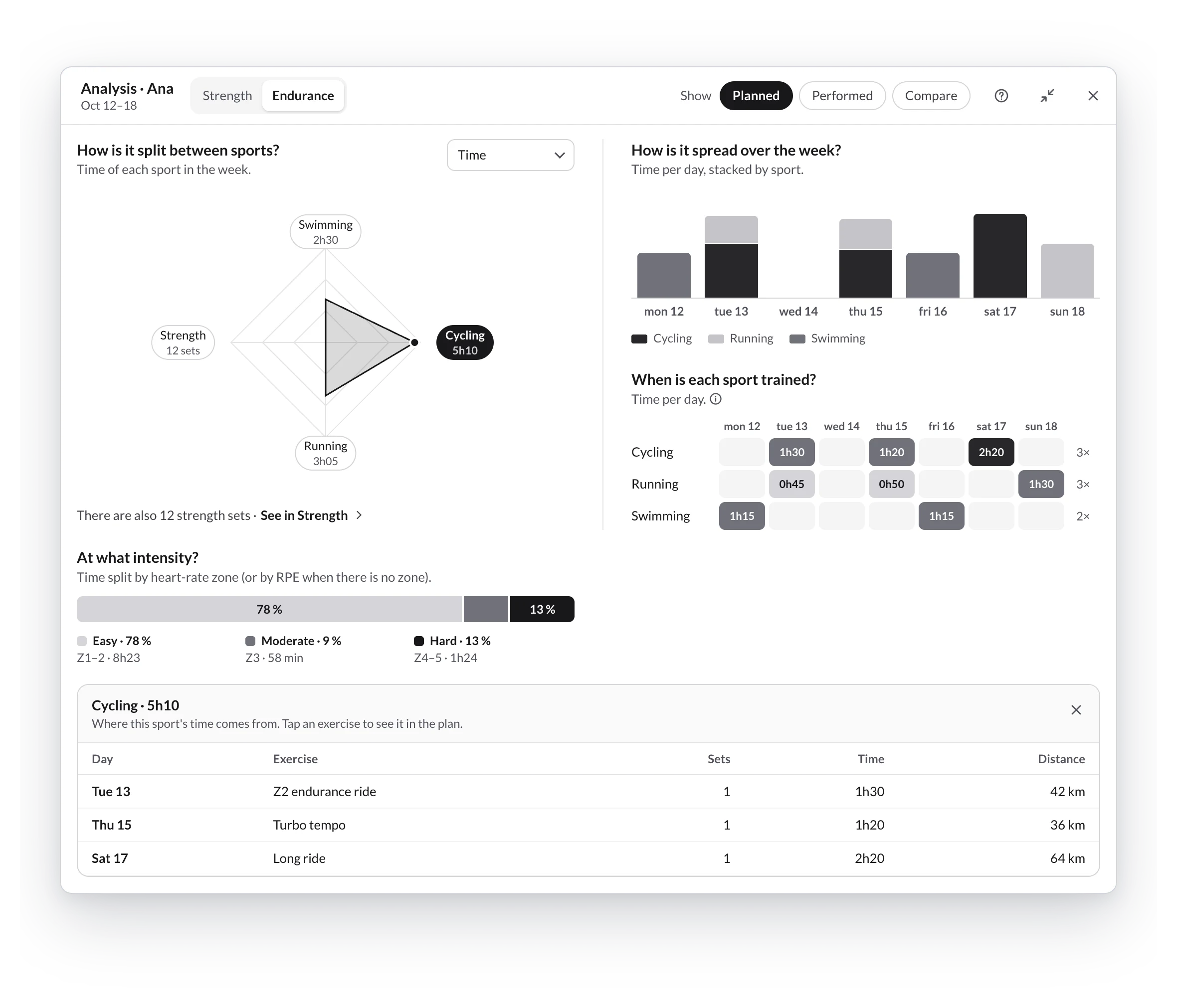
How is it split between sports?
- One axis per sport: swimming, cycling, running and strength always, plus any other you program. An exercise without a sport goes to Other.
- Strength appears with its sets and the line There are also 12 strength sets · See in Strength: to analyze it, use Strength mode.
- Measure by:
- Time (default): the sum of durations; for intervals, intervals × duration.
- Distance: in km (swimming, in meters).
- Sessions: the days with that sport.
- sRPE load: minutes × RPE × CA coefficient. It only counts sets with duration and RPE; if any are missing, you'll see it in the footnote.
Intensity and week
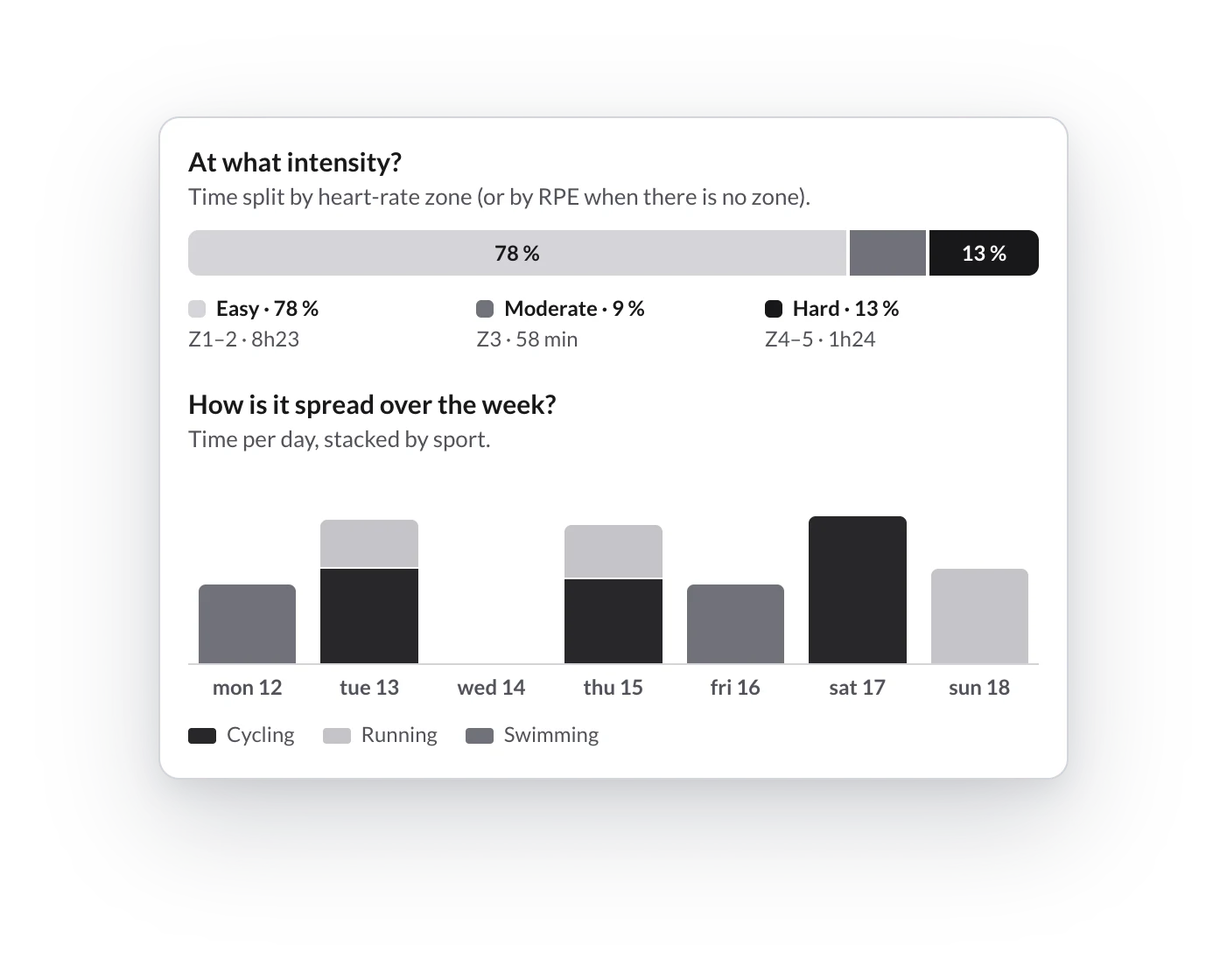
- At what intensity? splits the time into Easy (Z1–2), Moderate (Z3) and Hard (Z4–5). It uses the prescribed heart-rate zone or, if there is none, the RPE: up to 4 is easy, 5–6 moderate and 7 or more hard.
- How is it spread over the week? stacks each day's sports.
- When is each sport trained? is the frequency map with each day's time.
A sport's detail
Open from the start on the sport with the most of the chosen metric: day, exercise, sets, time and distance. Click another sport on the radar or the map to switch.
If a running exercise shows up in Strength or in Other, check its load mode or its sport in Configure an exercise.
Strength mode
How to read the workout analyzer's Strength mode — the sets-per-muscle radar, Measure by and Group by, the 10 to 20 weekly sets guide and each muscle's detail.
Frequency and rest
The workout analyzer's frequency map — which days you train each muscle, how many days it rests between stimuli and when the consecutive days warning appears.