
Open the analyzer
From a client's plan
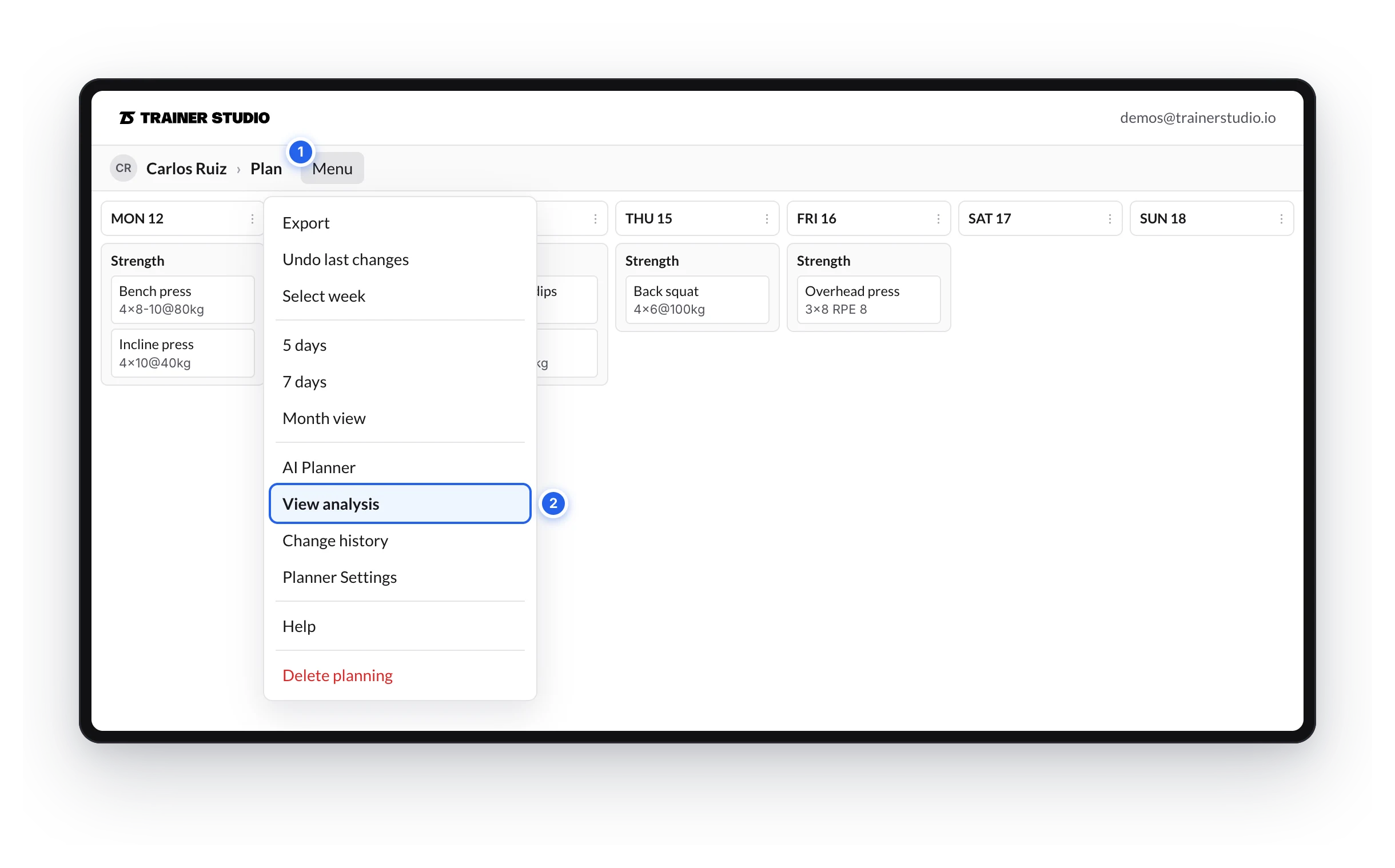
- Open the client's Plan on the week or month you want to review.
- Open Menu and click View analysis.
From a program
- Open the program in Library → Programs.
- In the View menu, click View analysis.
If you see several weeks, pick one week or Whole program in the selector. A program only has planned work.
The window
On a computer it opens maximized, in two columns, with the mode and Show in the header. Click restore to switch to a small window, with everything stacked, that you can place anywhere while you edit.
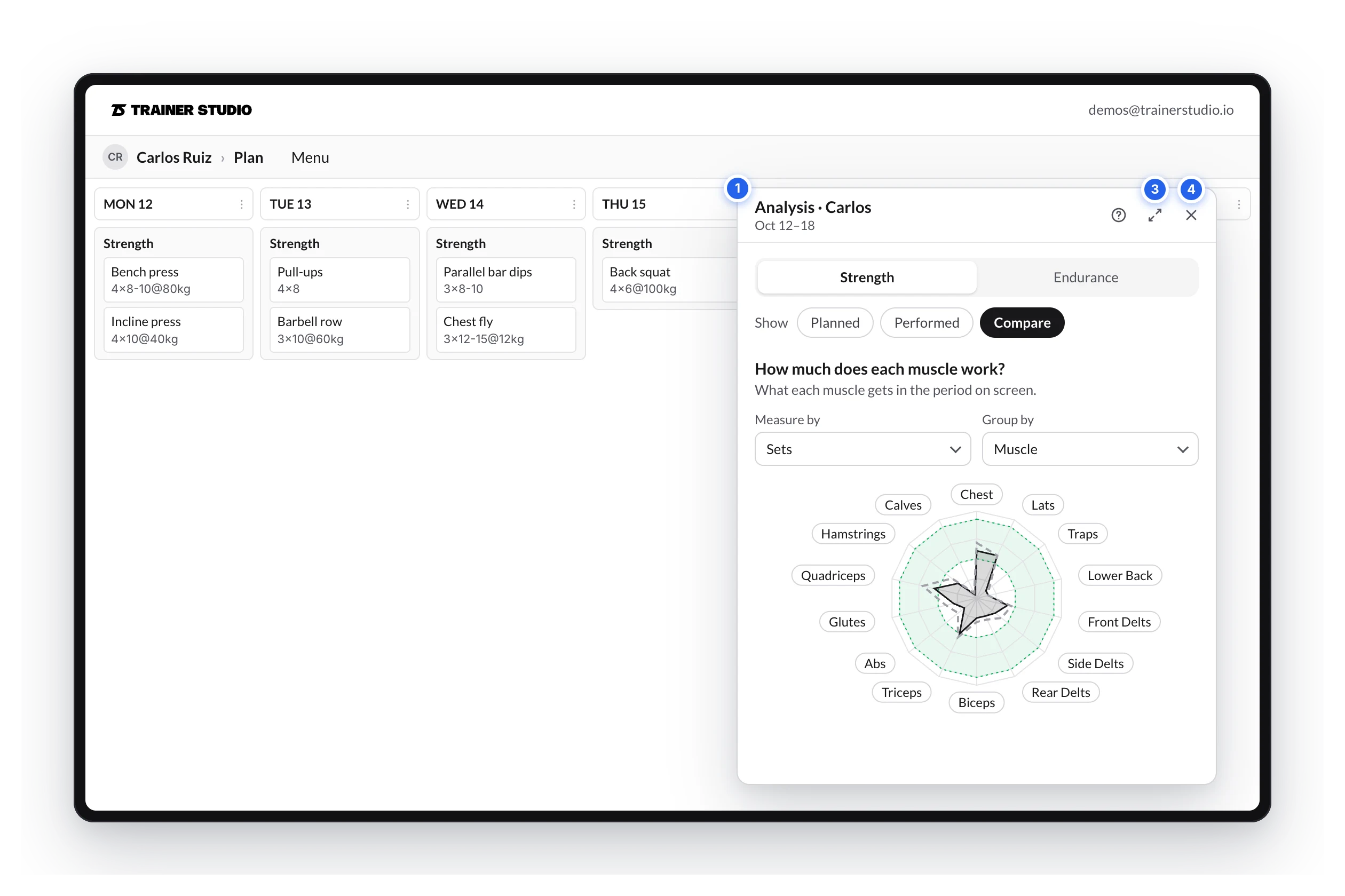
- Move it by dragging the header.
- Resize it from the left edge, the top edge or their corner. Each size remembers its position.
- Maximize or restore it with the header button.
- Close it with the ✕ or with Esc.
On a phone it opens full screen; tapping an exercise closes it and takes you there.
The analyzer is kept in the page address (?analysis=open): if you reload it stays open, and the browser's Back button closes it.
What it analyzes
- The period you have on screen. If you change week or switch to month view, it changes with it. You see it under the title (
Oct 12–18,Week 2). - Instantly. Every change in the plan shows up without saving or reloading.
The controls
- Strength / Endurance: the mode. It opens in the one with more content and remembers the last one you used. If the chosen mode is empty, you'll see a button to go to the other.
- Show (only in a client's plan): Planned (what you programmed), Performed (the sets the client completed, with what they logged) or Compare (both overlaid).
- Measure by and Group by: in each section, what is counted.
- ? opens this guide.
How to analyze the training you program?
TrainerStudio's workout analyzer shows you, while you program, how many sets each muscle gets, which days you train it and how much it rests, or how your client's time is split between sports.
Strength mode
How to read the workout analyzer's Strength mode — the sets-per-muscle radar, Measure by and Group by, the 10 to 20 weekly sets guide and each muscle's detail.