
How to complete your public profile?
Your public profile is a landing page: a professional mini website with your photo, your offer, your specialties and your contact details. It is published in the TrainerStudio trainer directory and indexed on Google, so anyone looking for a personal trainer can find you for free, without you needing to build your own website.
1. Open your landing page
Go to Business → Website in the side menu (it's also under Settings → Public Profile). The Landing page screen shows your site as it is published, with its address in the top bar.
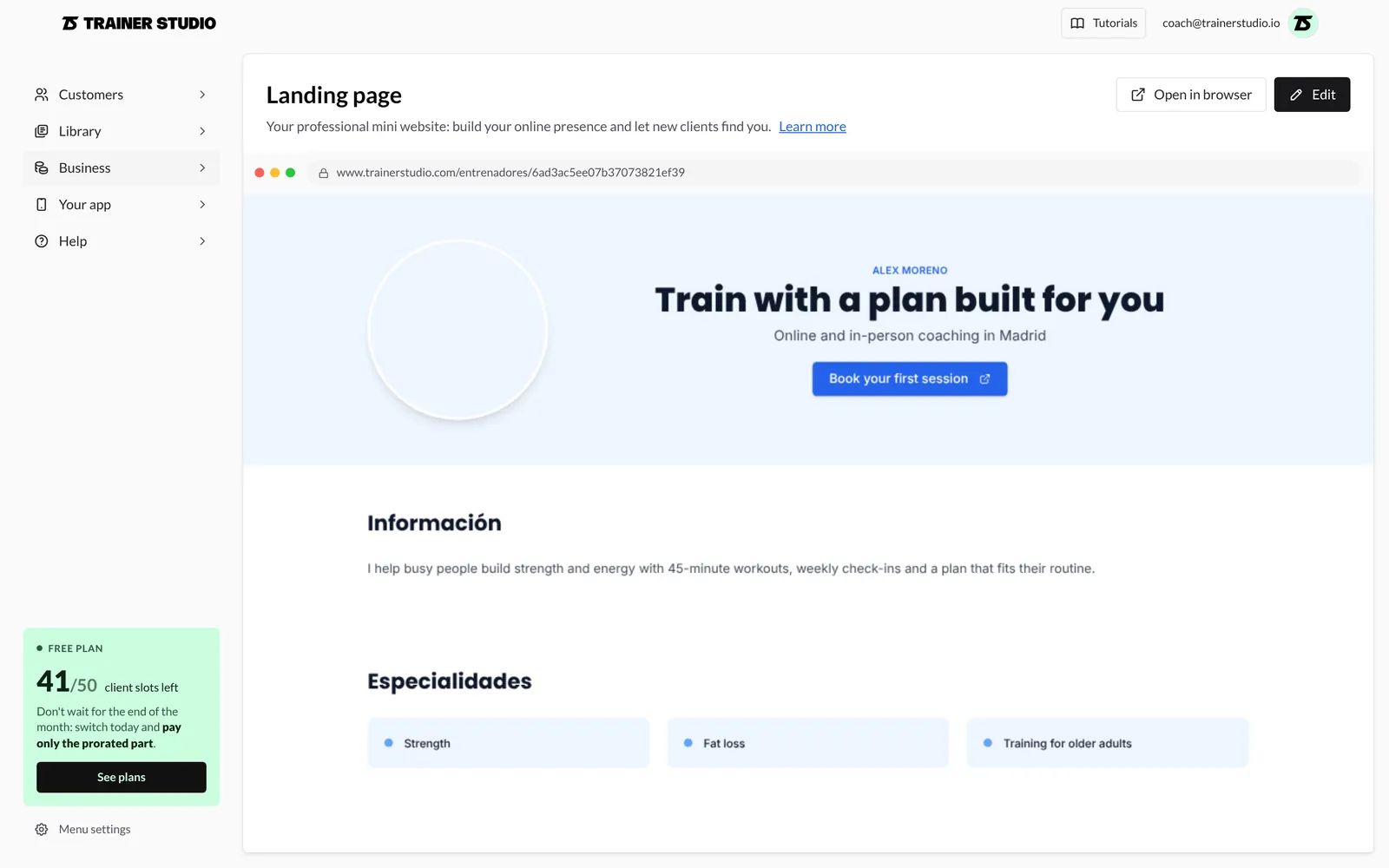
- Open in browser opens your site in a new tab.
- Edit opens the editor. On desktop, the editor floats over a live preview that updates as you type, without saving. Move it by dragging its Editor header, or collapse it with the arrow to see the whole page.
2. Arrange and switch sections on or off
The Sections tab lists the five sections of the page: Hero, About, Specialties, Certifications and Contact.
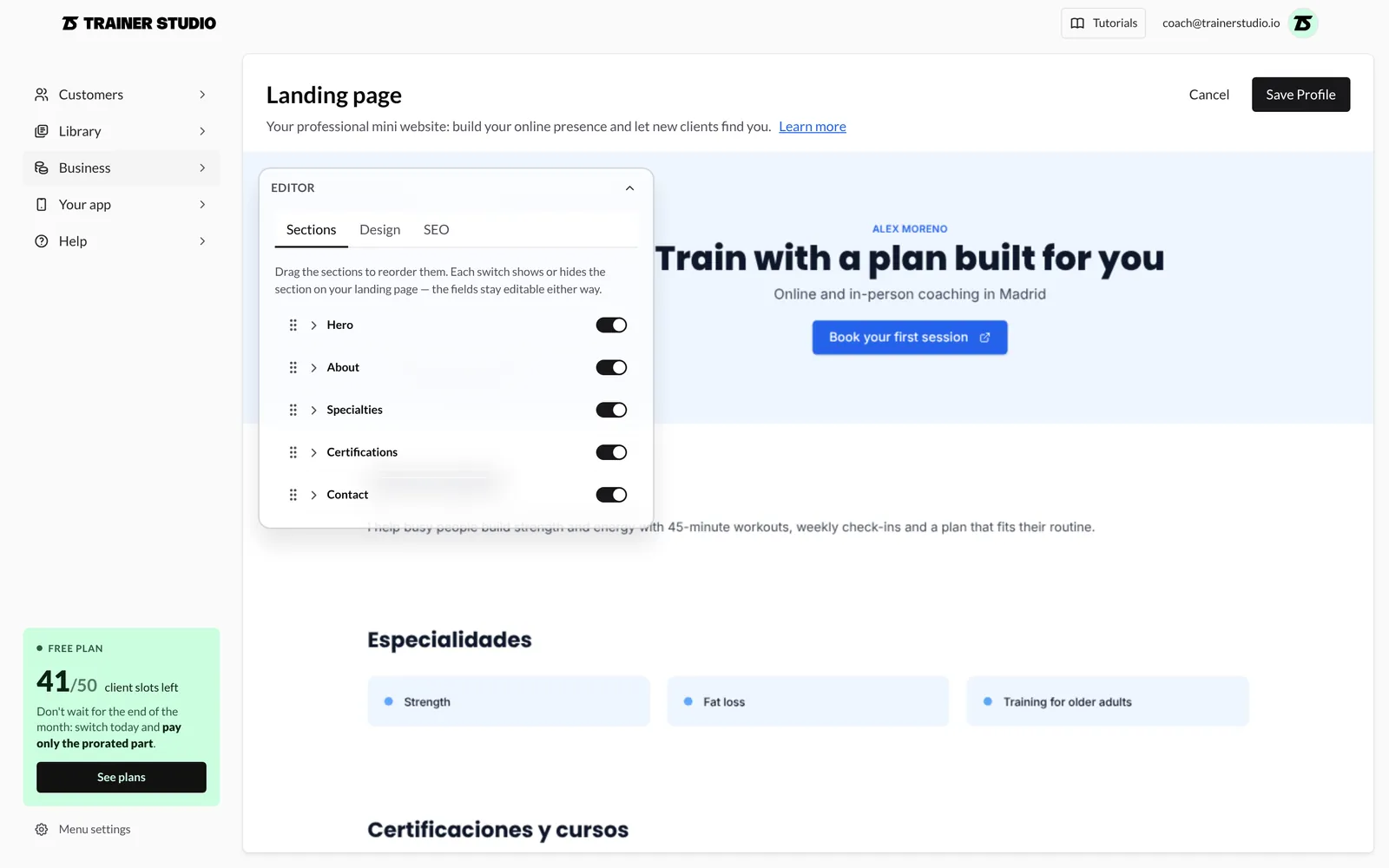
- Reorder them by dragging the dotted handle on the left.
- Show or hide them with the switch on the right. A hidden section doesn't appear on your site, but its fields stay saved and editable.
- Expand a section by clicking its name to edit its content.
3. Customise the hero
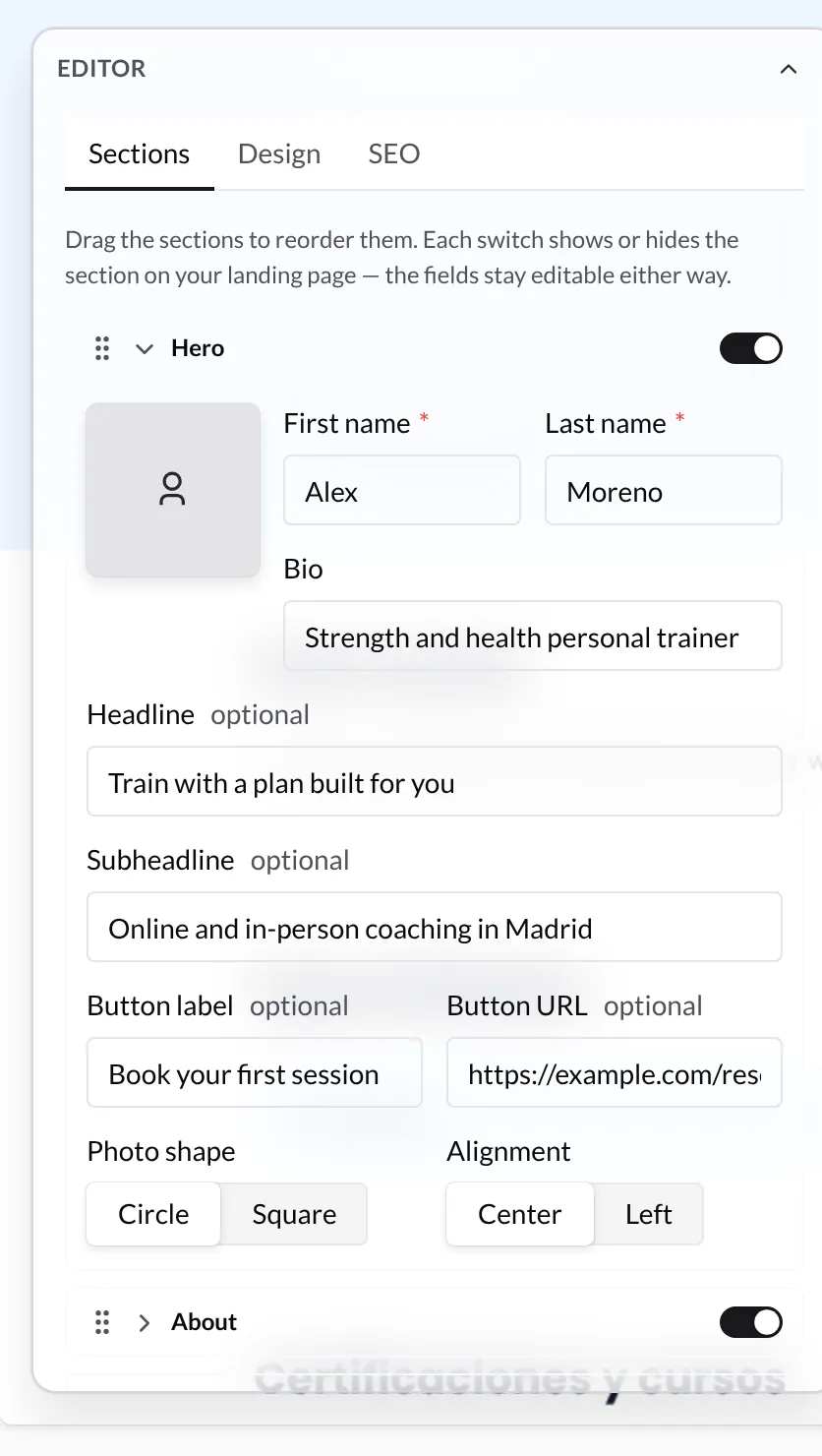
The Hero is the first thing a visitor sees:
- Photo: click the box to upload it. Tip: a head-and-shoulders shot with good lighting and a neutral background. A new photo appears in the preview after you save.
- First name and Last name (required) and Bio: a short line that sums up who you are, e.g. "Personal trainer specialised in strength and sports nutrition".
- Headline and Subheadline: the main message of your page.
- Button label and Button URL: a call-to-action button, e.g. "Book your first session" linking to your booking page or WhatsApp. The URL must start with
http://orhttps://. - Photo shape (Circle or Square) and Alignment (Center or Left).
4. Complete the other sections
Each section has an optional Section title: leave it empty to use the default title.
- About: the Description, a longer text about your experience, your method and the clients you work with.
- Specialties: type each one and press Enter to add it (up to 5). Under Layout choose Chips or Grid. Examples: fat loss, strength, rehabilitation, training for older adults.
- Certifications: same as specialties (up to 5), with a List or Grid layout. Examples: NSCA-CPT, CSCS, BSc in Sport Science, MSc in Sports Nutrition.
- Contact: your Instagram and Email, with the Show Instagram and Show email switches to decide which ones appear.
5. Choose colours and fonts
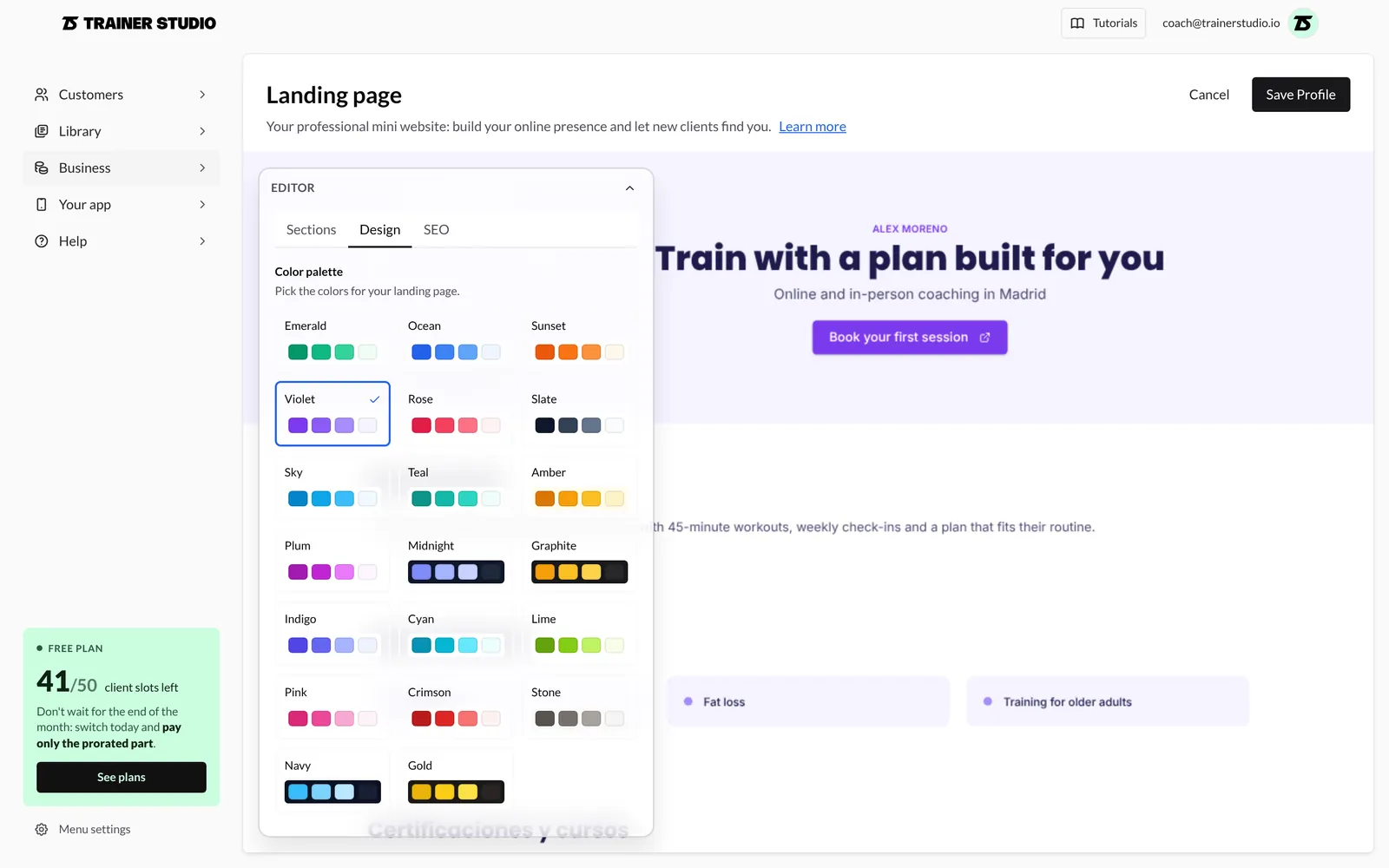
In the Design tab:
- Color palette: choose from 20 palettes, light and dark. The selected one shows a tick.
- Heading font and Body font: pick one of the 12 available fonts for each.
6. Set up SEO
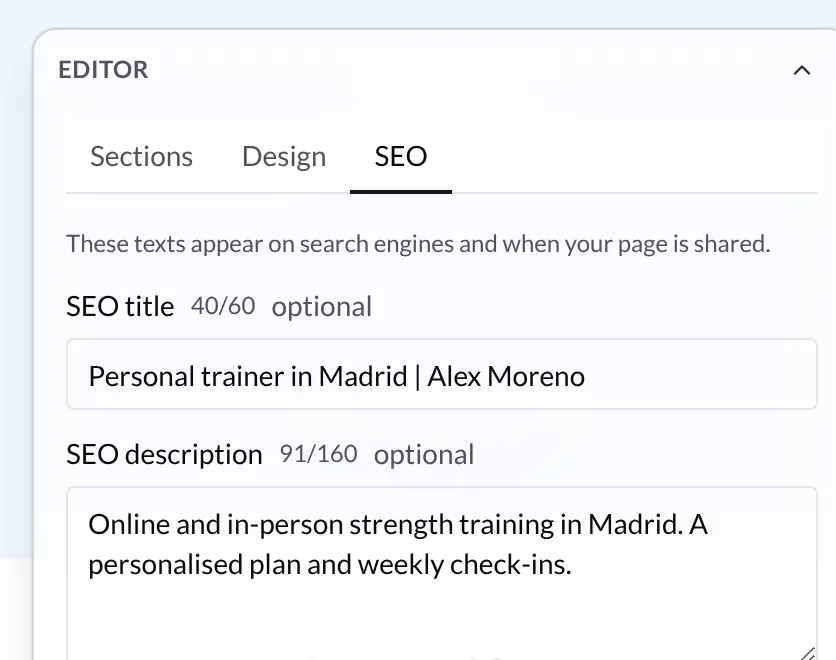
In the SEO tab you decide how your page appears on search engines and when it is shared:
- SEO title: up to 60 characters. Say what you do and where, e.g. "Personal trainer in Madrid | Alex Moreno".
- SEO description: up to 160 characters summing up what you offer and who you help.
Both are optional: if you leave them empty, your name and the beginning of your description are used. Each field's counter shows how many characters you've used.
7. Save and publish
Click Save Profile (top right) to publish your changes, or Cancel to discard them. Your site goes live straight away at www.trainerstudio.com/entrenadores/ followed by your ID: it's the address shown in the preview frame and the one Open in browser opens. Copy it to share in your Instagram bio, your email signature or your messages.
It doesn't need to be perfect from day one. You can update it whenever you like from Business → Website.
Appearing in the directory and on Google
Your site is reachable as soon as you save it, but it is only listed in the trainer directory and offered to Google for indexing once it has a profile photo, a description of at least 80 characters and at least one specialty.
A complete profile:
- Makes you visible on Google to new clients looking for a personal trainer.
- Builds trust and conveys professionalism.
- Sets your service apart from generic apps with no trainer behind them.
- Is completely free: no website or paid advertising needed.