
GuidesHow to organize your library with folders?
Search and use your folders while planning
Search the whole library
The search always looks in the whole library, whichever folder you have open, and each result shows its folder path. In sessions and blocks it finds by name or by tag; in programs, by name.
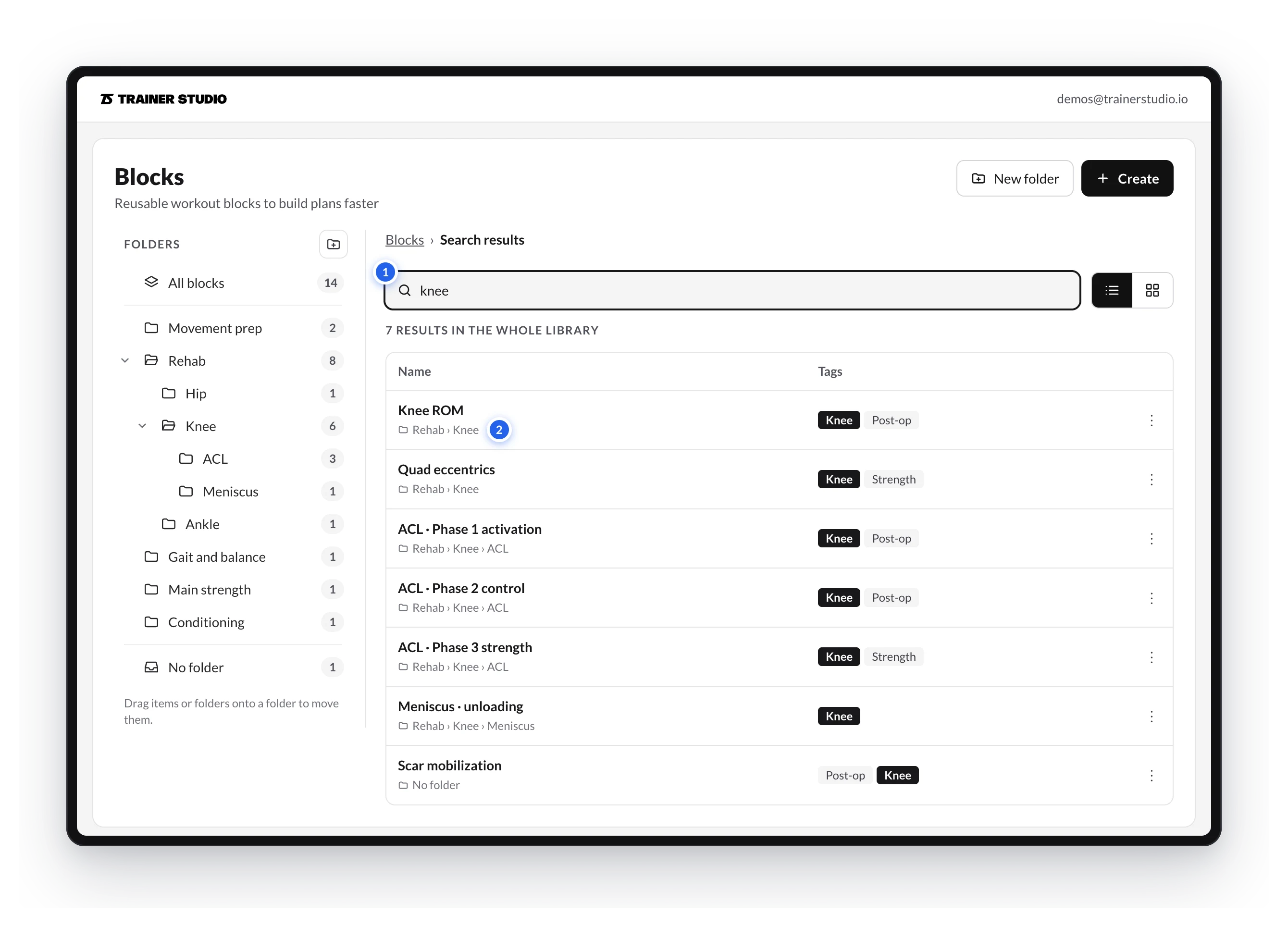
- Type the name or a tag:
kneefinds the blocks named that way and the ones tagged Knee, wherever they are. - Check the path to know which folder each one is in. From the result you can open it or move it with its ⋮ menu.
While planning
When you load a template from a client's planning or from a program, the Sessions and Blocks tabs of the Load templates panel group your templates by folder, with the full path and how many each one holds. Expand the one you need, pick the template and click Use template.
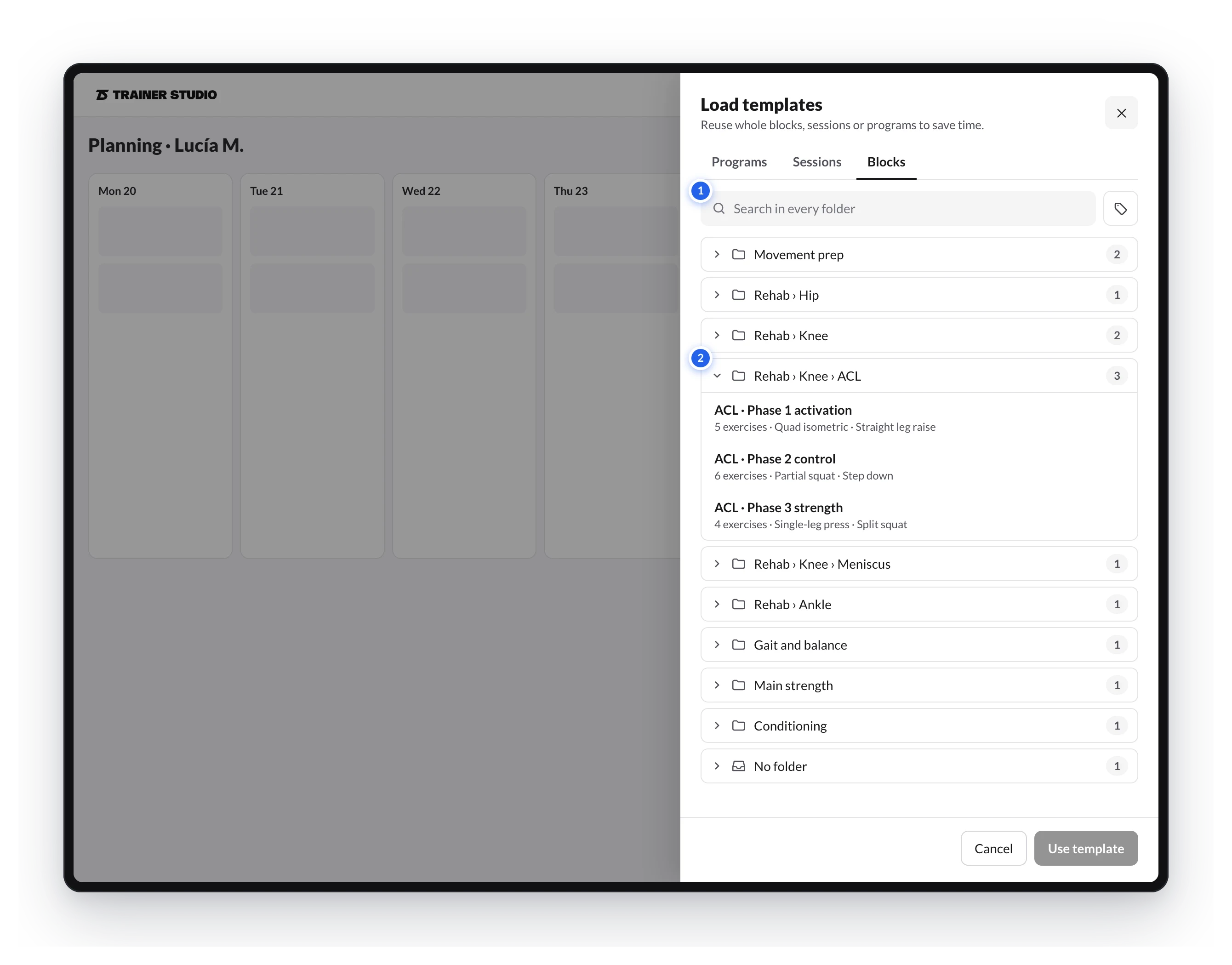
- Search in every folder finds the template wherever it is and shows its folder. The tag button next to it filters by tag.
- Each group is a folder. Templates without a folder are at the end, in No folder.