
Recipes
A recipe is a combination of ingredients with their amounts. It is the step between your individual foods and a complete nutrition plan: a recipe is "a dish" that you then place in the meals of your plans.
You will find your recipes in Library → Recipes. Like ingredients, they are created once and reused in as many plans as you want.
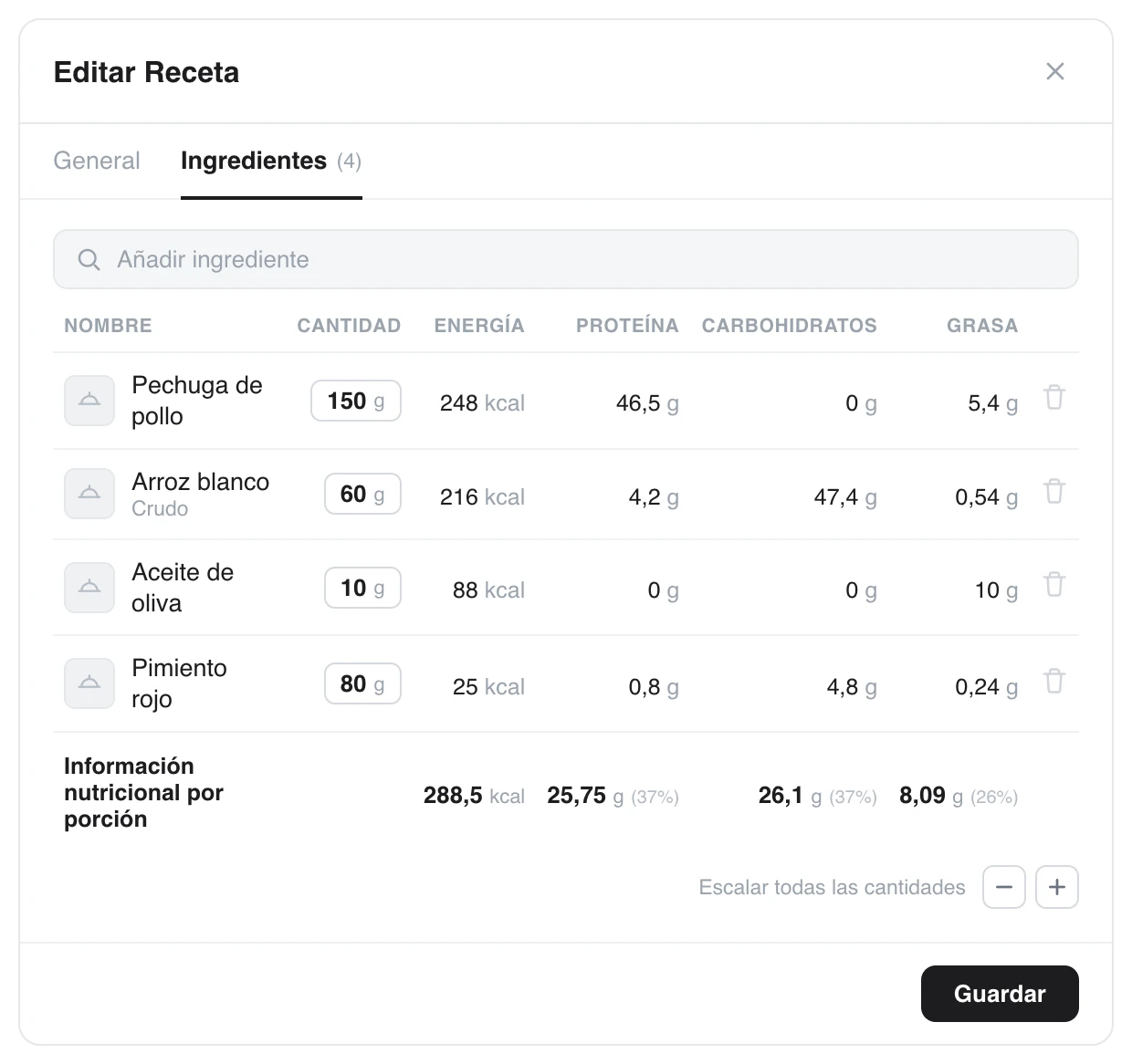
You add ingredients with their amount and TrainerStudio adds up the recipe's calories and macros for you.
Put the recipe together
Recipes are created and edited in a window with two tabs, General and Ingredients:
- General: name, description, number of servings, preparation time, complexity (easy, medium or hard) and step-by-step preparation instructions.
- Ingredients: search for each food in your library and add it with its amount in grams. With every ingredient you add, the per-serving nutrition information (calories, protein, carbs and fat) is recalculated instantly. You can also scale all the amounts at once with the + and − buttons.
You do not have to enter any macros by hand: they come from the ingredients you added and their amounts.
Organization
- Archive the recipes you no longer use: they disappear from the list without losing their history or breaking the plans that use them.
- A well-made recipe works for many clients: you invest once and reuse it forever.
With a handful of recipes you can build your first nutrition plan.
Ingredients, your food library
Build your food database with calories and macros per 100 g and make use of the shared BEDCA and Open Food Facts library. Ingredients are the foundation of all your recipes and nutrition plans.
Nutrition plans
Build multi-day plans with meal blocks, fixed recipes or options to choose from, and calorie and macro targets. Reusable plans that you then assign to your clients.