
Nutrition
Each client's nutrition lives in their profile, in the Nutrition tab. When you open it, TrainerStudio asks How do you want to share the menu with your client? and you choose one of three ways. You can use whichever fits each person best.
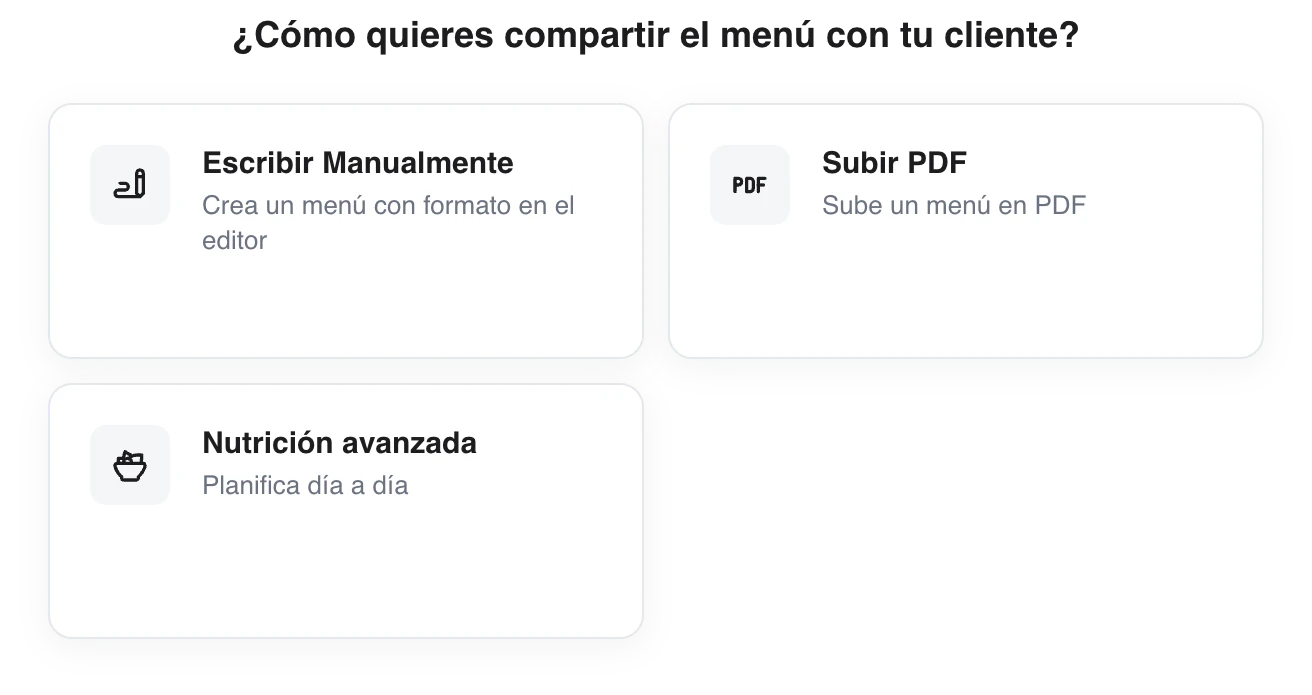
Three ways to give your client their diet. You choose per client, and you can switch from one to another whenever you want.
The three ways
- Nutrition by text — write a menu or some guidelines in a formatted text editor. Quick and flexible for simple instructions.
- Attach a PDF — upload the diet as a PDF file (for example, one you already had) and your client sees it in their app.
- Advanced nutrition — build a structured day-by-day plan with recipes, ingredients and macro targets, reusable across clients. It is the most powerful option.
Which one should I choose?
- Do you only need to give some guidelines or a short menu? Use nutrition by text.
- Do you already have the diet in a PDF? Attach it and you are done.
- Do you want complete, reusable plans with calculated macros? Go to advanced nutrition: it is the one that makes the most of your library of ingredients, recipes and plans.
Whichever way you choose, your client sees their diet in the Nutrition section of their app.
Putting it on paper
With any of the three ways you can get the diet as a PDF to print it: Export a nutrition plan to PDF.
How to let your clients create their own workouts?
Turn on a permission so your clients can create and manage their own workouts with blocks, exercises, supersets, circuits, sets and variables.
Nutrition by text
Write your client's diet in a formatted text editor — headings, lists, bold, links and images. It saves automatically and your client sees it in their app.