Install the app
Install your coach's app on your phone
There are two ways to have your coach's app on your phone. Both are identical inside: same workouts, same chat, same features. The quickest one is installing it from the browser with your access link.
Option 1: Install from the browser (recommended)
Open your access link in the browser (you come in already signed in) and, if your coach has a custom app, this version will carry their branding (their logo and their colors). From there you add it to your phone in a few seconds.
On iPhone/iPad
Use Safari to install the app (it does not work in other browsers).
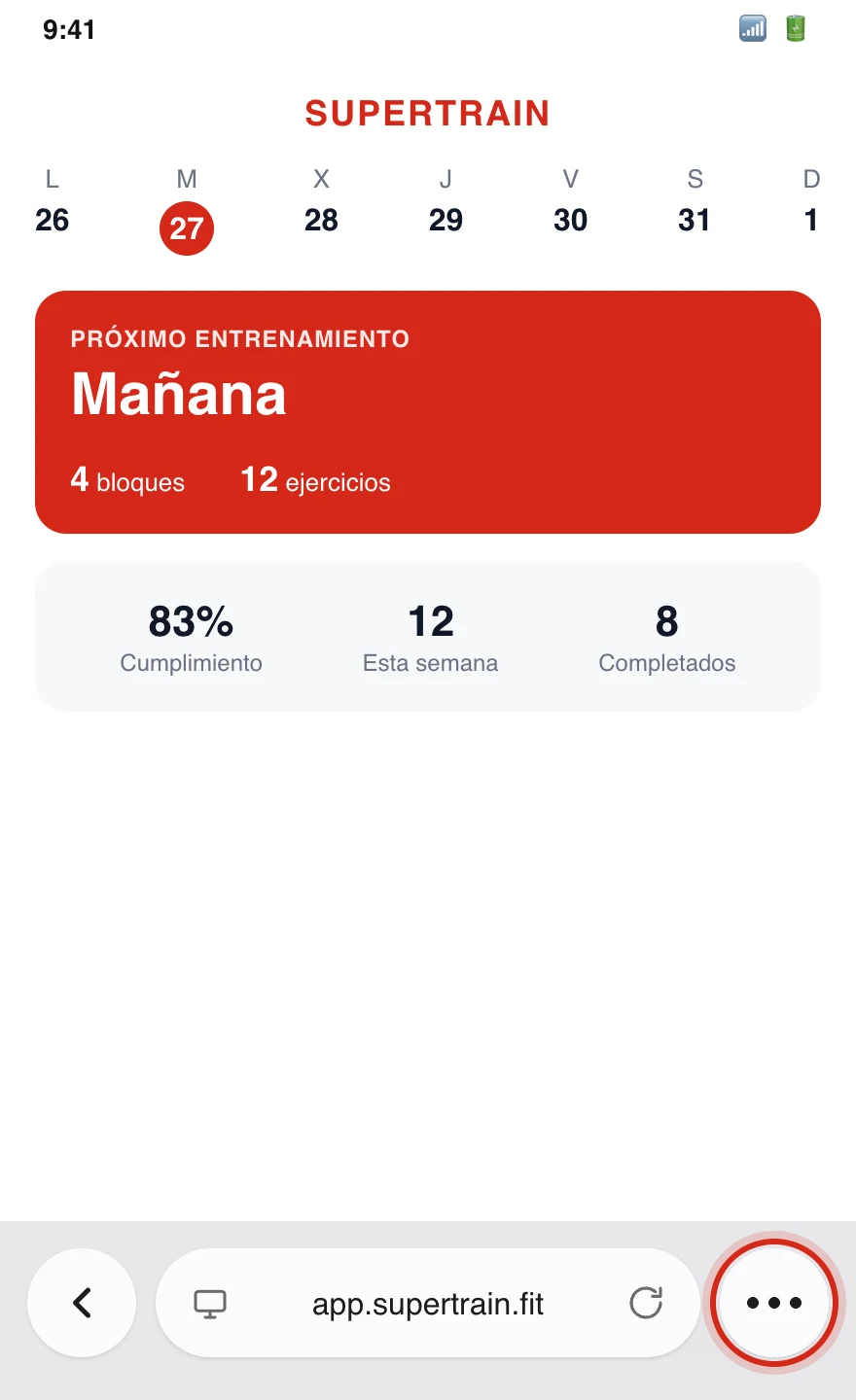
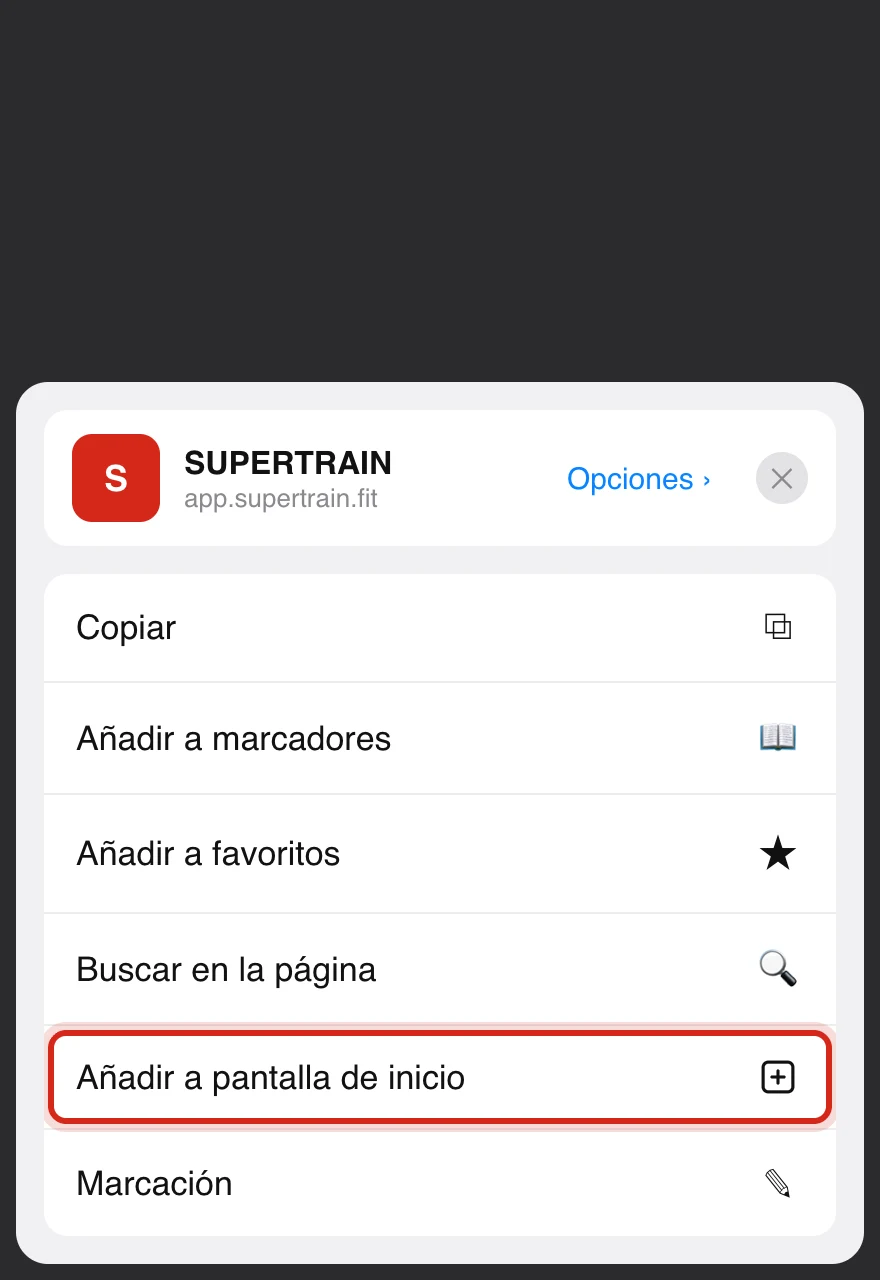
- Tap the ••• button at the bottom right of the Safari bar
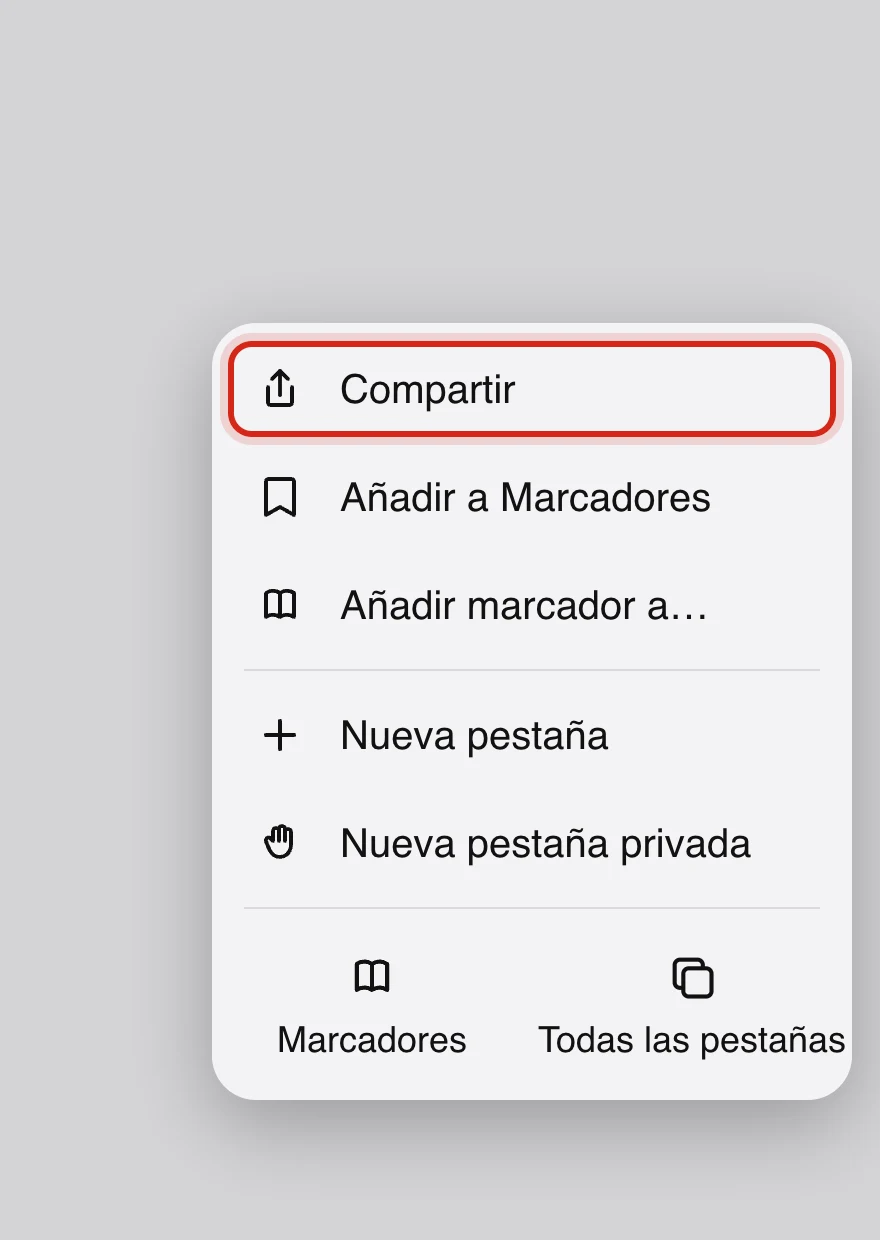
- In the menu, tap "Share"
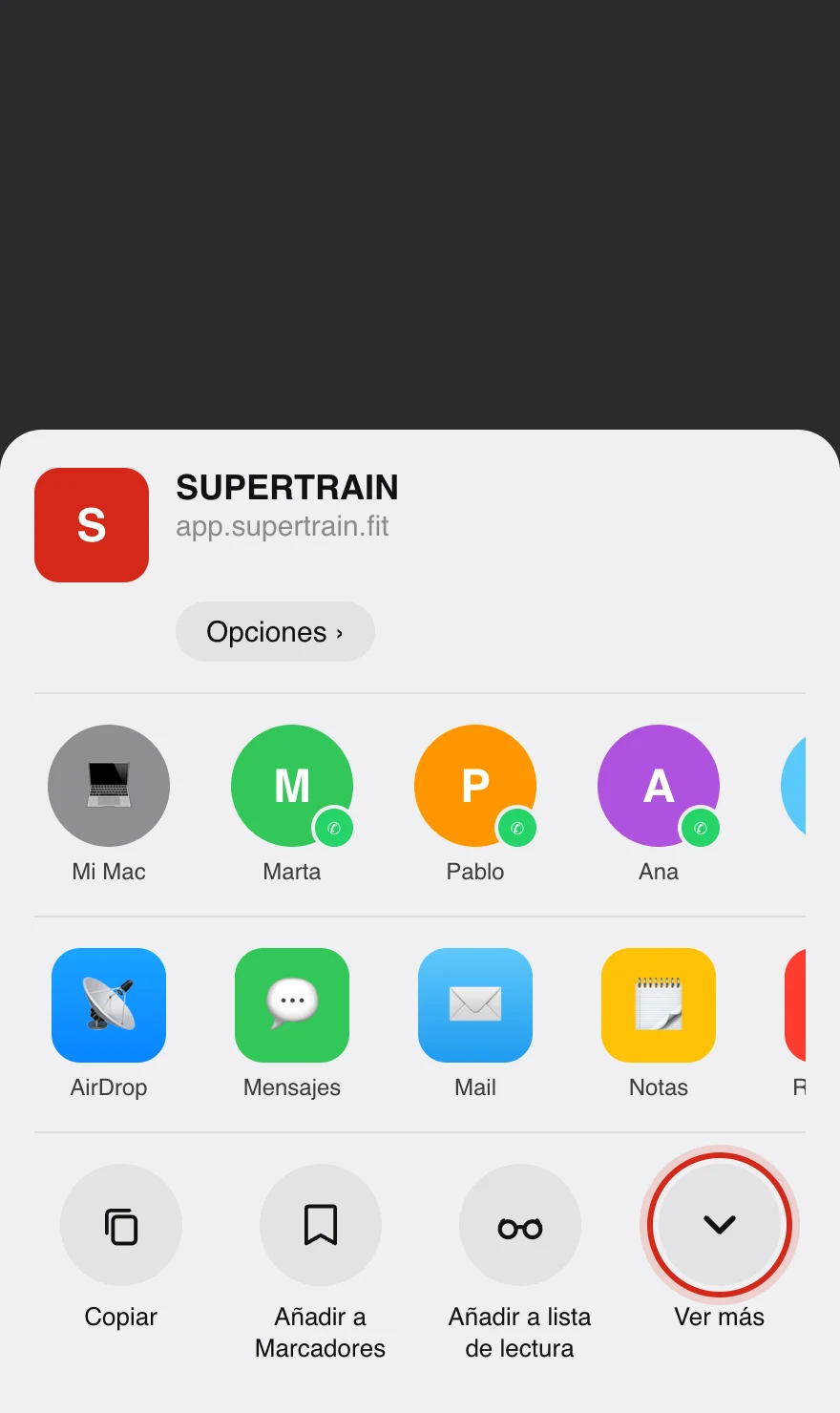
- In the share sheet, tap "See more" (the ∨ arrow at the end of the row)
- Select "Add to Home Screen" (the ⊞ icon) and tap "Add"
On Android
We recommend using Google Chrome for the best experience.
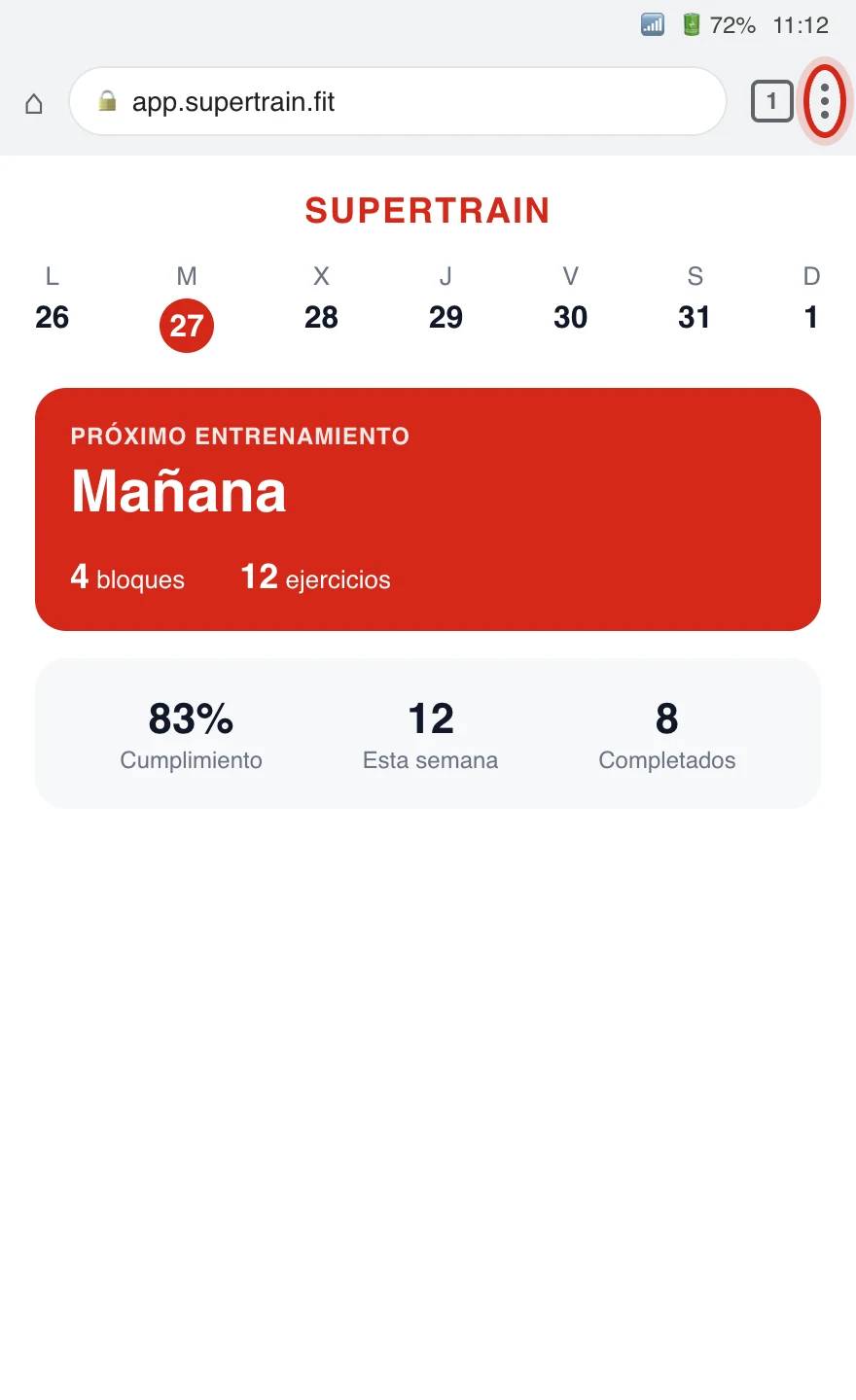
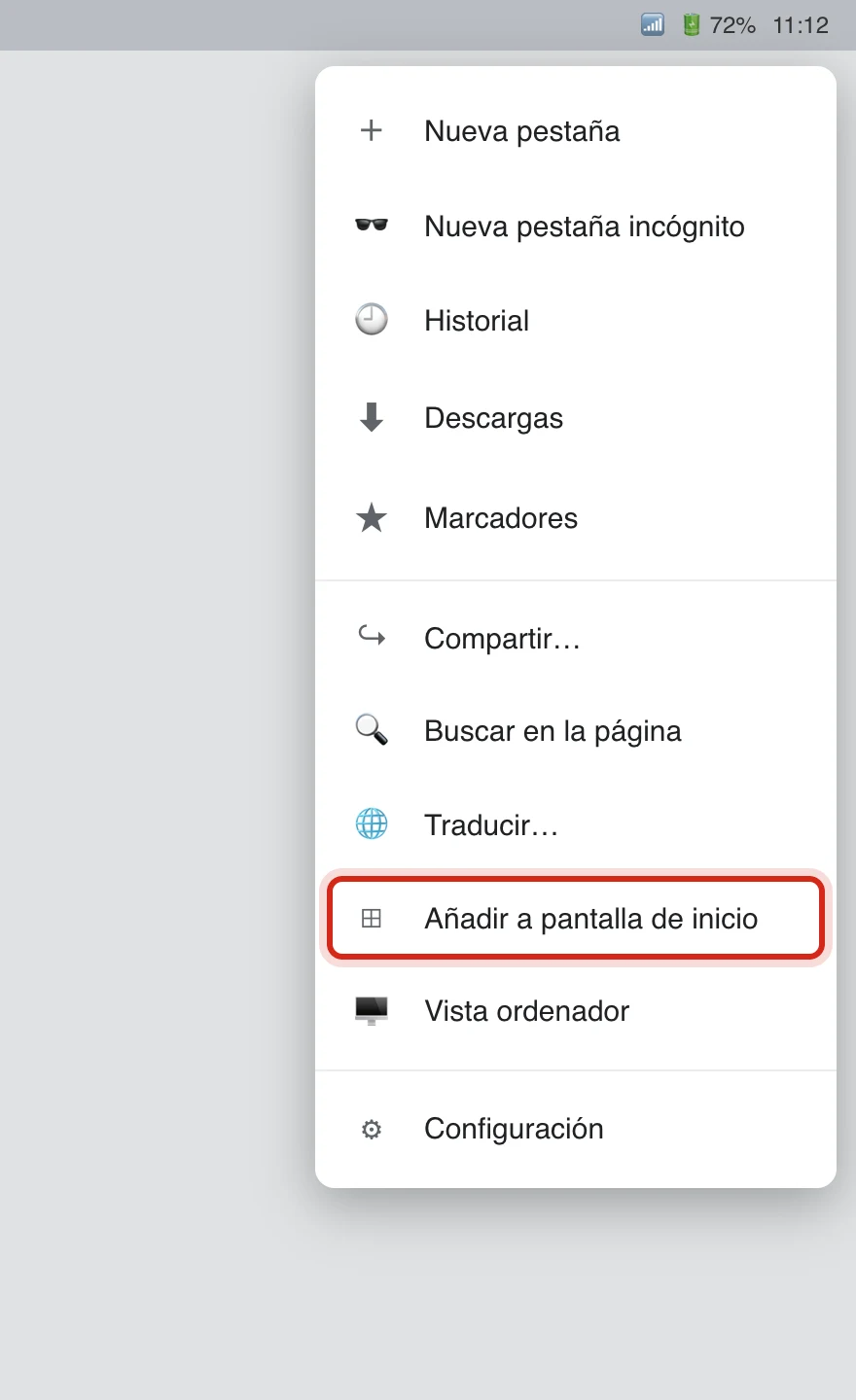
- Open the menu (the three dots at the top right)
- Select "Add to Home screen" (or "Install app")
- Confirm and the app will appear on your home screen
Option 2: From the App Store or Google Play
Search for "TrainerStudio" in the App Store (iPhone) or in Google Play (Android) and download the app. The native app signs you in with email and password, so first you need to complete your account. If you have not done it yet, come in first with your access link and add your details.