Signing a document
How to sign the consent form or document your coach sends you
Your coach can ask you to sign a document, such as an informed consent form or an authorization. You will get a notification on your phone, and the document will wait for you inside the app until you decide. You do not need to print anything or install another app.
Finding the pending document
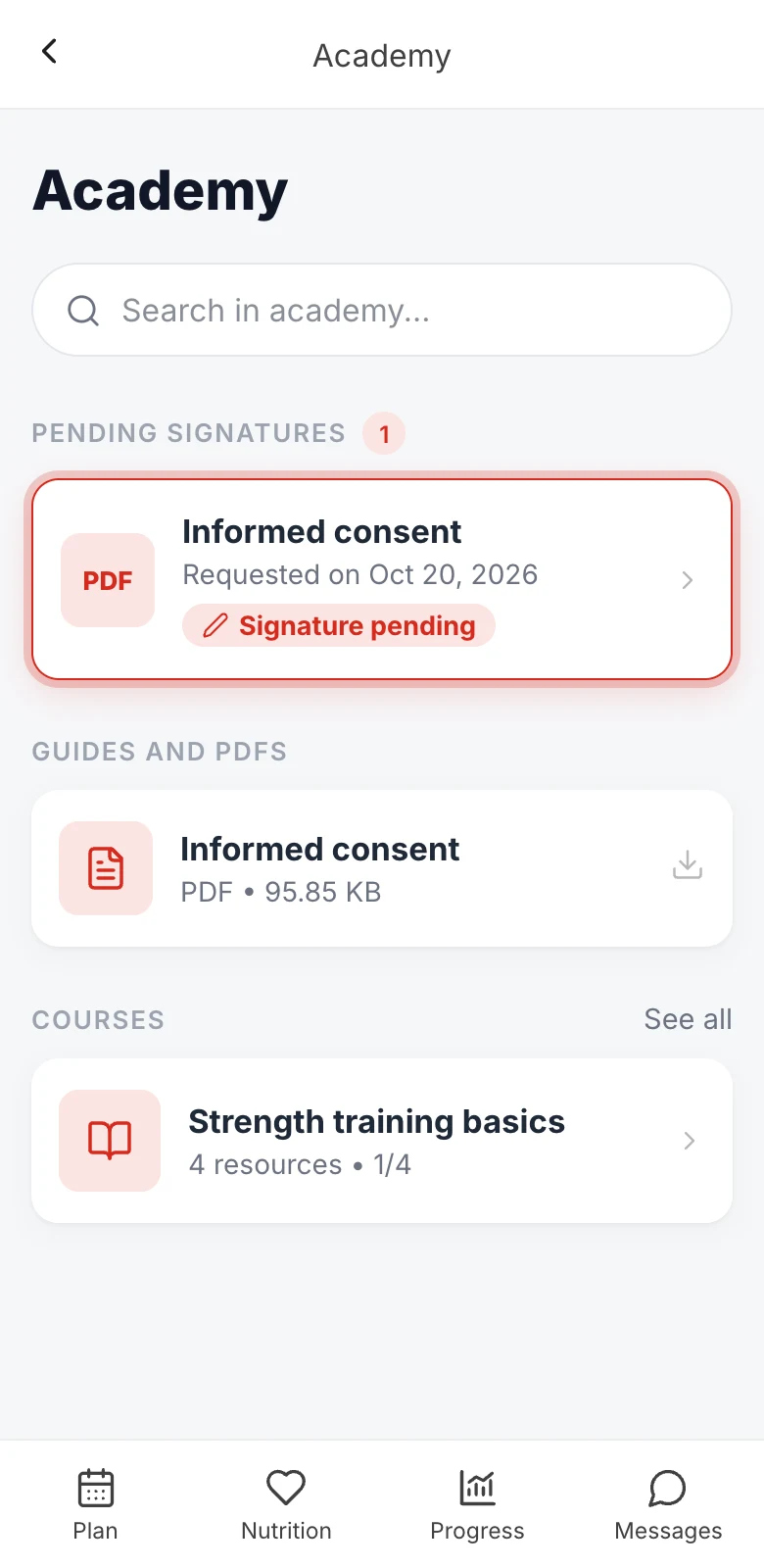

From the main screen, tap the book icon in the top right corner to open the Academy. At the very top you will see the Pending signatures section, with the number of documents waiting for your answer.
Each card shows the document name, the date your coach requested it and the Signature pending label. Tap the card to open it.
Reading and signing the document
- Read the PDF in the preview. If it is too small, tap Open PDF to see it full screen.
- Check the Full name field. It is filled in with the name on your account; correct it if it does not match your legal name.
- Read the Acceptance text and check the box.
- Under Your signature, draw your signature with your finger (or with the mouse, if you are on a computer). Not happy with it? Tap Clear and try again as many times as you like.
- Tap Sign document and then, when asked to confirm, Confirm signature.
The Sign document button only becomes active once you have entered your name, checked the box and drawn your signature. Once you confirm, the signature is saved and cannot be undone.
Downloading your copy
Preparing the signed document takes a moment. When it is ready, you will see Signature completed with the signer's name and the date and time of the signature.
Tap Download signed copy to save your PDF, which includes your signature and the acceptance details. You can download it again later from the same screen, and your coach gets a copy too.
If you do not want to sign
Tap I do not want to sign this document and confirm with Decline request. No signed document is created, the request is recorded as declined and your coach is notified.
If you have questions, message your coach from Messages before you decide.
What is recorded when you sign
So that the signature serves as proof, the date and time, your IP address and some technical details of your connection are recorded, along with the exact copy of the PDF you saw and the text you accepted. This is a simple electronic signature, not a signature with a digital certificate: that is why you do not need any certificate or extra app.