

One search for your exercises and every library
The exercise library has been redesigned: your exercises and every library show up together, search understands what you type and TrainerStudio warns you before you duplicate an exercise.
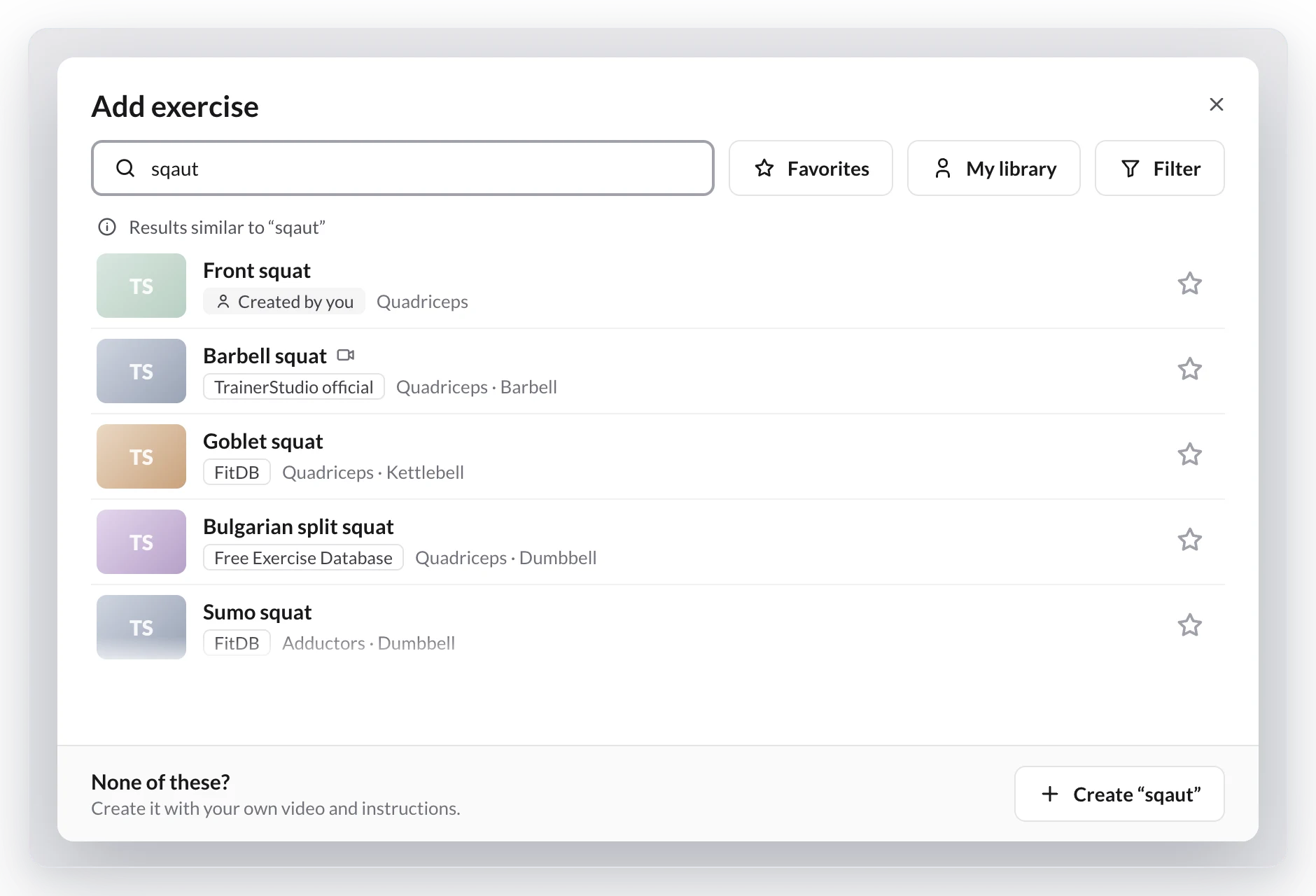
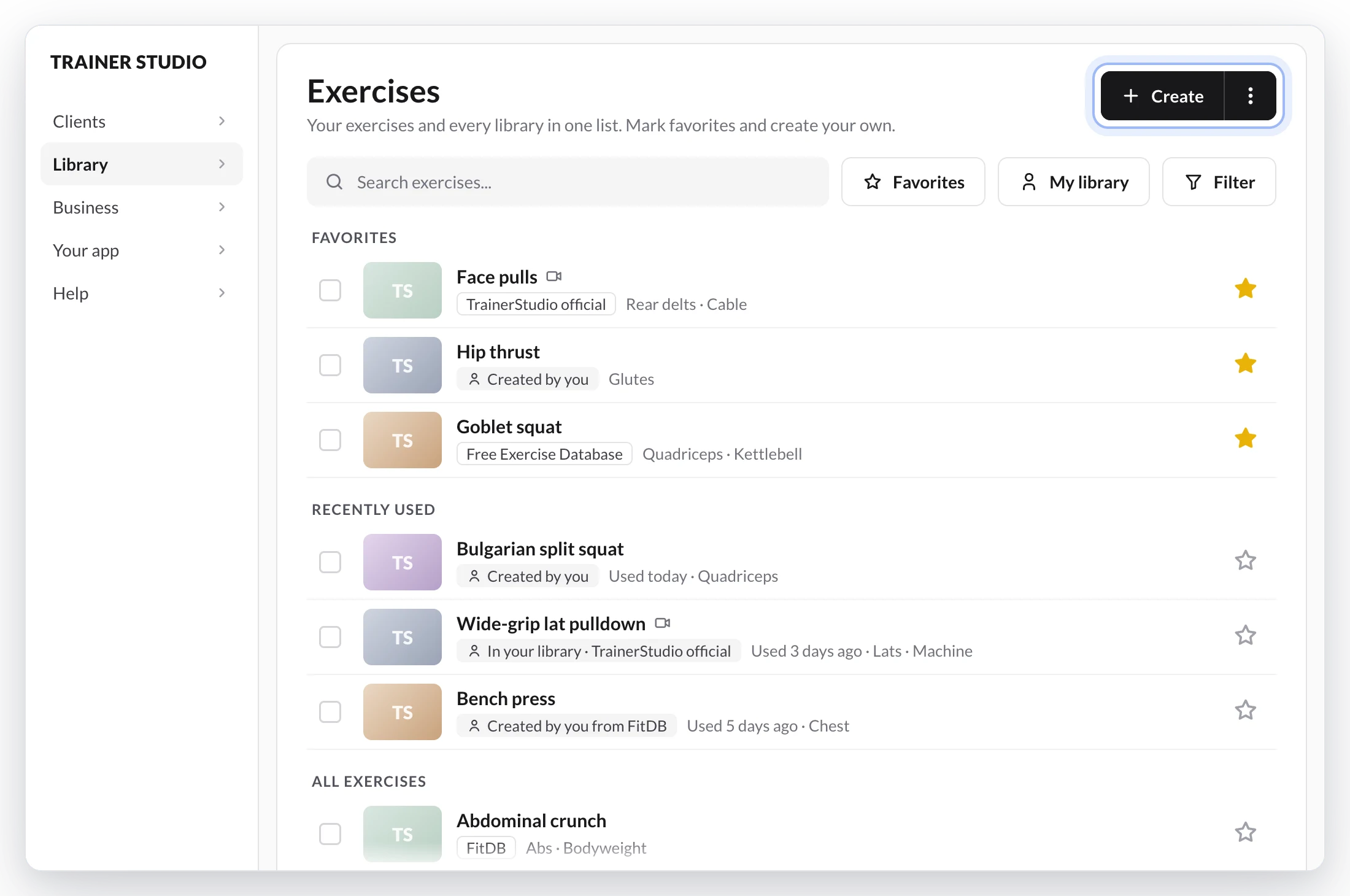
Finding an exercise no longer depends on remembering its exact name or which library it came from.
Your exercises and every library's now show up in one list, in Library → Exercises and when you click Add exercise in a plan, program or template. No more copying or importing.
What changes:
- Search the way you talk. Skip accents, change the word order, type just the start of each word, make a typo or use another name for the exercise. You can also search by muscle.
- Yours first. Your favorites at the top, then your exercises, then the libraries'. Before you type, your favorites and what you've used in the last 30 days are already there.
- Favorites and My library. Star any exercise and click My library to see only your exercises and favorites. TrainerStudio remembers your choice on all your devices.
- No more duplicates. If you already have an exercise with that name, TrainerStudio asks before adding another one. Already have duplicates? Merge them: plans, programs, history and records move to the one you keep.
- Make it yours. Edit any library exercise; the original stays as it is.
Since launch, singular and plural return the same results, a typo no longer hides your own exercise, search knows more synonyms and, when you filter to My library, a notice at the top of the list tells you if the exact exercise is in another library. When a library improves the photos, videos or classification of an exercise you use, yours is updated too, and whatever you changed yourself stays. And if you can't find it, click anywhere on the None of these? card to create it.
Available on the web now; it comes to the iOS and Android apps with their next update.
Step-by-step guide in How to search exercises and use TrainerStudio's libraries?.


