Changes card
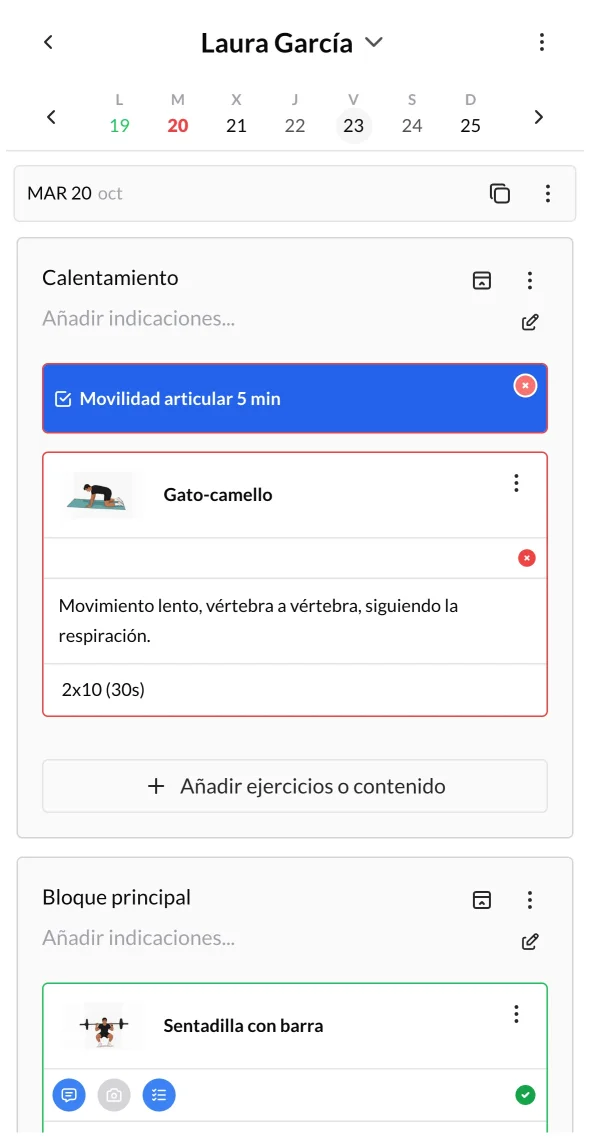
One line per change, like “Barbell back squat → Incline leg press.” “See in the plan” takes you to the edited days, highlighted in green. “Undo” reverts every change in that reply at once.


You talk for a few seconds between clients. TrainerStudio's AI agent reads the client's plan and history, picks exercises from your library and writes the days with sets and loads. Don't like a change? Undo it in one click.
Free for up to 3 clients · No card · 50 AI credits to start

Talk or type to it the way you would to a colleague. The agent decides what to look at, what to search for and what to change, then does it inside TrainerStudio. You watch each step as it works.
Tap the microphone and talk for up to 2 minutes. You read the text over before you send it.
Listening…
It looks at what your client has planned, what they actually trained and how each exercise is progressing.
Reviewed the training history
It searches your exercises first, with your videos. If one is missing, it creates it.
Searched exercises for “goblet squat”
It creates or changes sessions in the client's plan, with sets, reps and loads.
Created 3 days
A card lists every change, with a button that opens the plan with the edited days highlighted in green.
Changed the sets
“Undo” puts the plan back the way it was before that reply.
Changes undone
Before it deletes days, touches something your client already logged or messages them, it waits for your approval.
Waiting for your OK to delete Dec 7 – 13
The AI assistant guide has the full video tutorial, how to dictate a whole session with its sets and loads, and examples for every point in your week.
AI assistant guide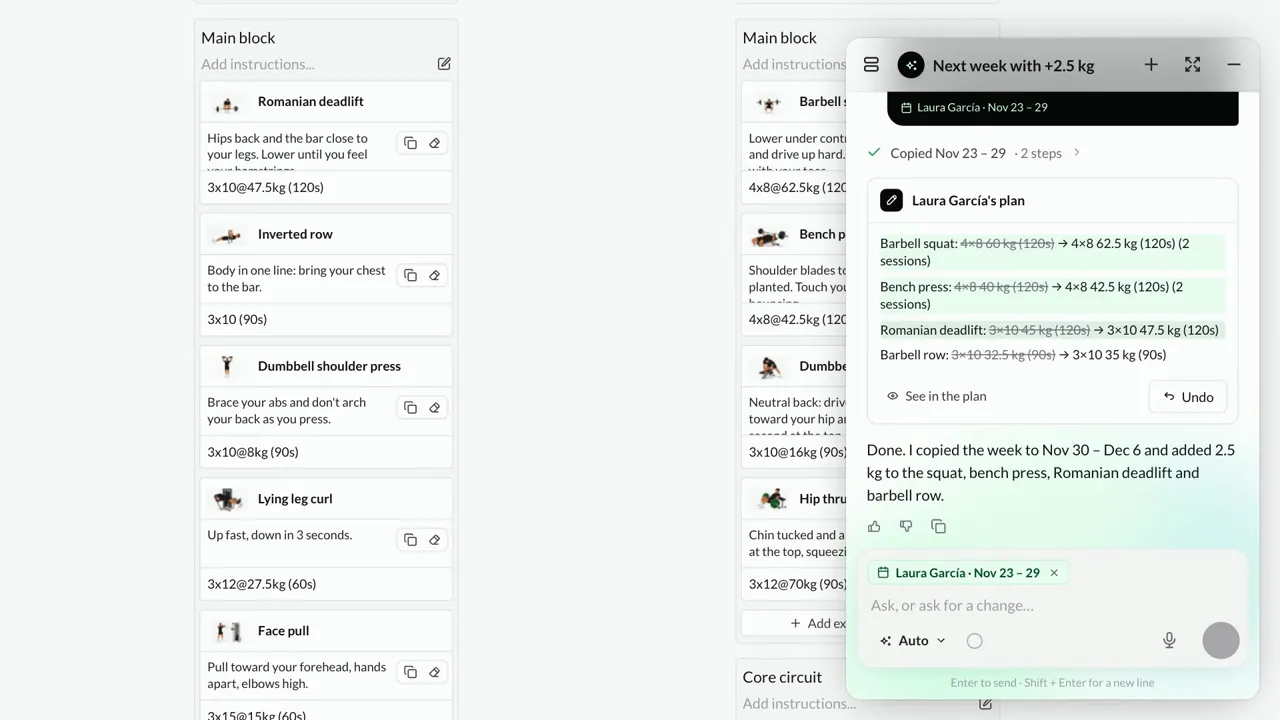

Fewer Sundays copying weeks and fewer nights on the laptop. You spend that time fixing someone's squat, talking with a client between sets or taking on one more.
Copying the same week for 25 clients. Rebuilding a spreadsheet because of one knee. Programming at night after a full day at the gym. Ask the agent, and while it works on one client, open another conversation for the next. They keep going even if you close the window.

Ask it like this
“Build next week like this one, adding 2.5 kg to the main lifts”
It copies the workouts, applies the progression and lists what changed.
Ask it like this
“For the next 2 weeks, swap the exercises that load her knee for alternatives that don't”
It finds alternatives in your library and shows you each change: “Barbell back squat → Glute bridge.”
Ask it like this
“Create a 3-day beginner full body for Ana for next week”
It leaves you a first draft with exercises from your library, ready for you to adjust.
Ask it like this
“Marcos is traveling for the next 2 weeks and only has dumbbells. Adapt those workouts”
The plan still makes sense, and your client doesn't lose two weeks.
Ask it like this
“Until the end of the month she can only train Tuesday, Thursday and Saturday. Move the workouts to those days”
It moves the sessions, so you don't have to drag them one by one.
Ask it like this
“Which clients haven't trained for a week?”
You know who to reach out to before they cancel.
Free for up to 3 clients · No card · 50 AI credits to start
Your client sees changes right away, just as if you'd made them by hand. That's why every reply that touches a plan comes with a card listing what changed, and nothing gets deleted without asking you.
One line per change, like “Barbell back squat → Incline leg press.” “See in the plan” takes you to the edited days, highlighted in green. “Undo” reverts every change in that reply at once.
Before it deletes whole days or something your client already logged, and before it messages your clients, it tells you what will happen and to whom. If you don't approve, it doesn't do it.
If you spend your day in another assistant, connect it to TrainerStudio and ask it for the same things from there: what a client has trained, a program built from your library or a check-in message. The connection is included in every plan. Each assistant's guide lists what it requires.
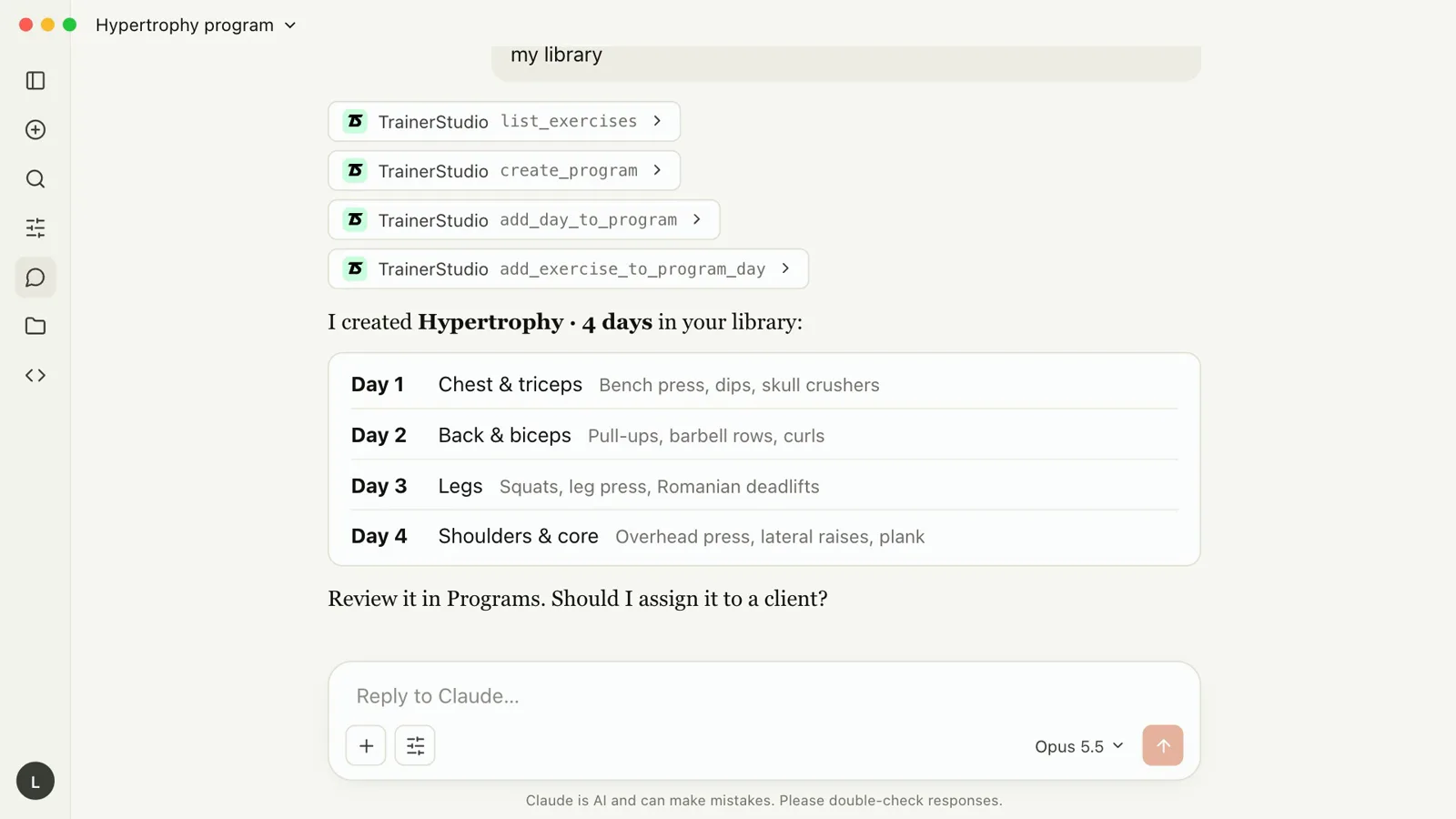
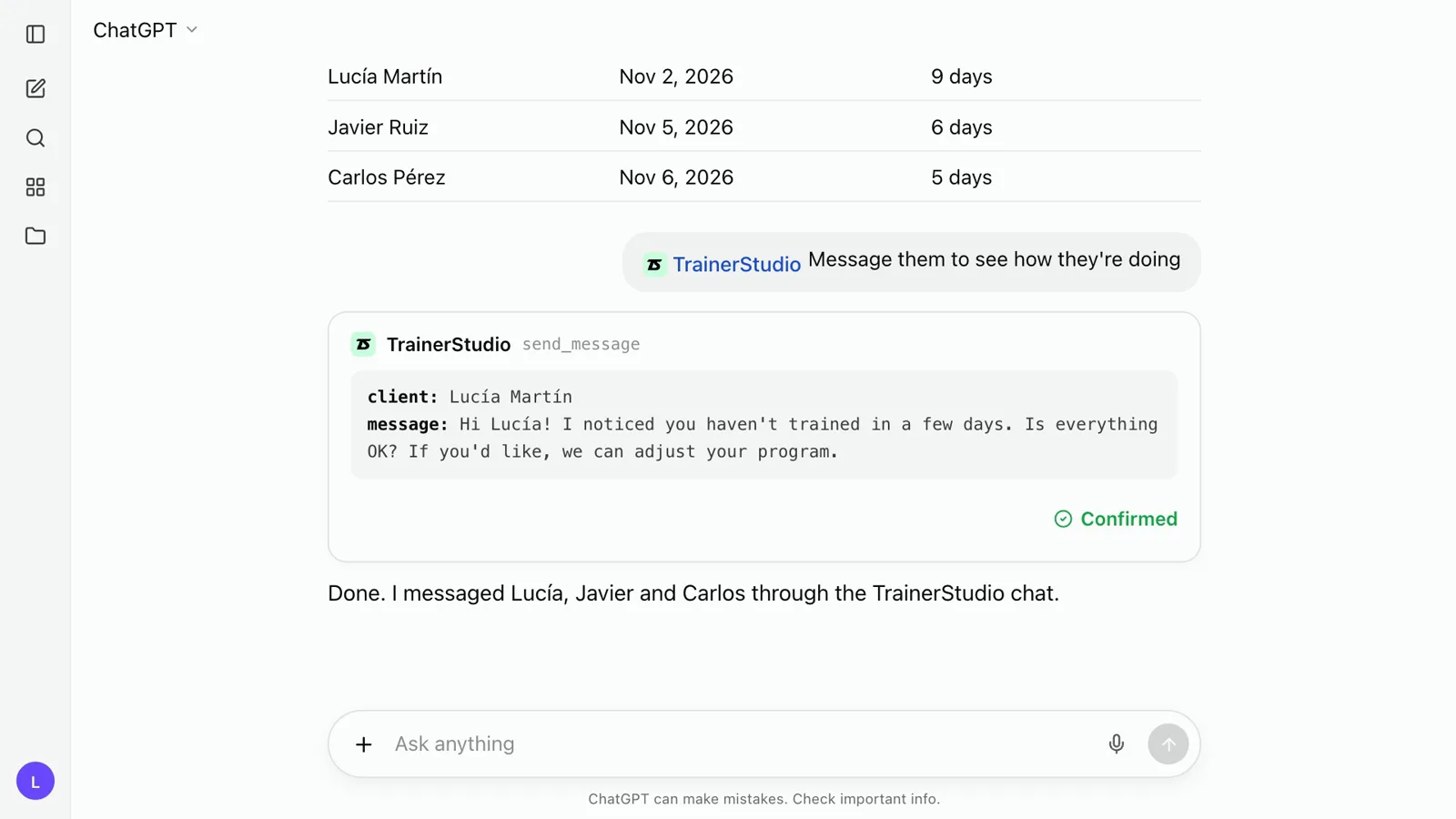
Recreations of Claude and ChatGPT with sample data, from our setup guides.
Up to 3 clients, no card. With the AI agent and 50 welcome credits to try it.
Your balance is topped up to 100 credits when you activate the plan and once a month. If you cancel, you keep what you have left.
Buy a credit pack whenever you need one. The rest of TrainerStudio works the same without credits.
Connecting ChatGPT or Claude.
Each request uses credits based on the work it takes: a short question uses very little; building several weeks in Expert mode, more.
See pricingAI that answers you and also does the work. Ask a chatbot for a workout and you get text back, which you then copy into your app by hand. An agent works inside your account with your permission: it checks the client's plan, searches your library and writes the days into their plan, step by step and in plain sight. In TrainerStudio you'll find it as “AI assistant” in the sidebar.
You dictate or type what you'd otherwise do by hand: copy the week with progression, swap exercises, move sessions, set up a deload or build a new client's plan. It also tells you how each client is doing and who hasn't trained in days. Every example is in the AI assistant guide.
No. Every reply that touches a plan comes with a card listing the changes and a button to undo them all in one click. Before it deletes whole days, touches something your client already logged or messages your clients, it asks for your OK.
It searches your library first, with your exercises and your videos. If you ask for one you don't have, it creates it in your library and tells you.
It's included in every plan. It uses AI credits: every account gets 50 to start, and with a paid plan your balance is topped up to 100 each month. If you need more, you buy a pack. Connecting ChatGPT or Claude doesn't use credits. Each plan's price is on the pricing page.
Yes. It creates and adjusts nutrition plans and recipes with TrainerStudio's food database, which calculates calories and macros. If a registered dietitian handles your client's nutrition, use it to put their plan into the app.
No. They see their plan in your branded app, as always. What the agent changes reaches them just as if you had changed it yourself.
No. The agent is built into TrainerStudio. If you already work with one of them, you can connect it to your account with the Claude guide or the ChatGPT guide, which list what each one requires.
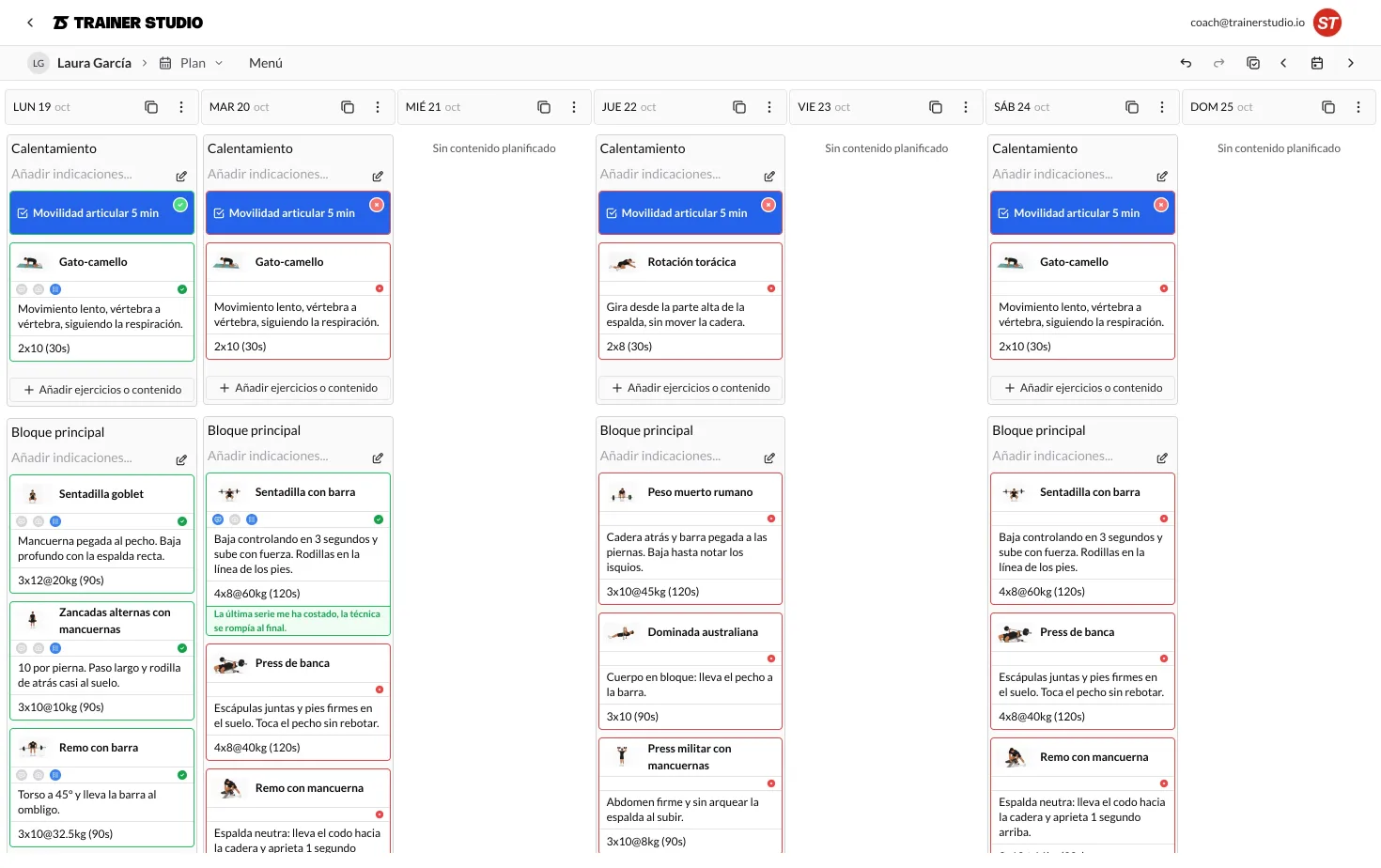
Create your account and dictate your first client's week. With your exercises, your app and your brand.
Free for up to 3 clients · No card
Looking for an AI to write your own workouts? You don't need an account: start with the guide to creating workouts with AI.